01 · Inbox and handoffs
Inbox · My queue
Clear ownership keeps the inbox actionable. Customer history and the next step stay close to the conversation.
Finished
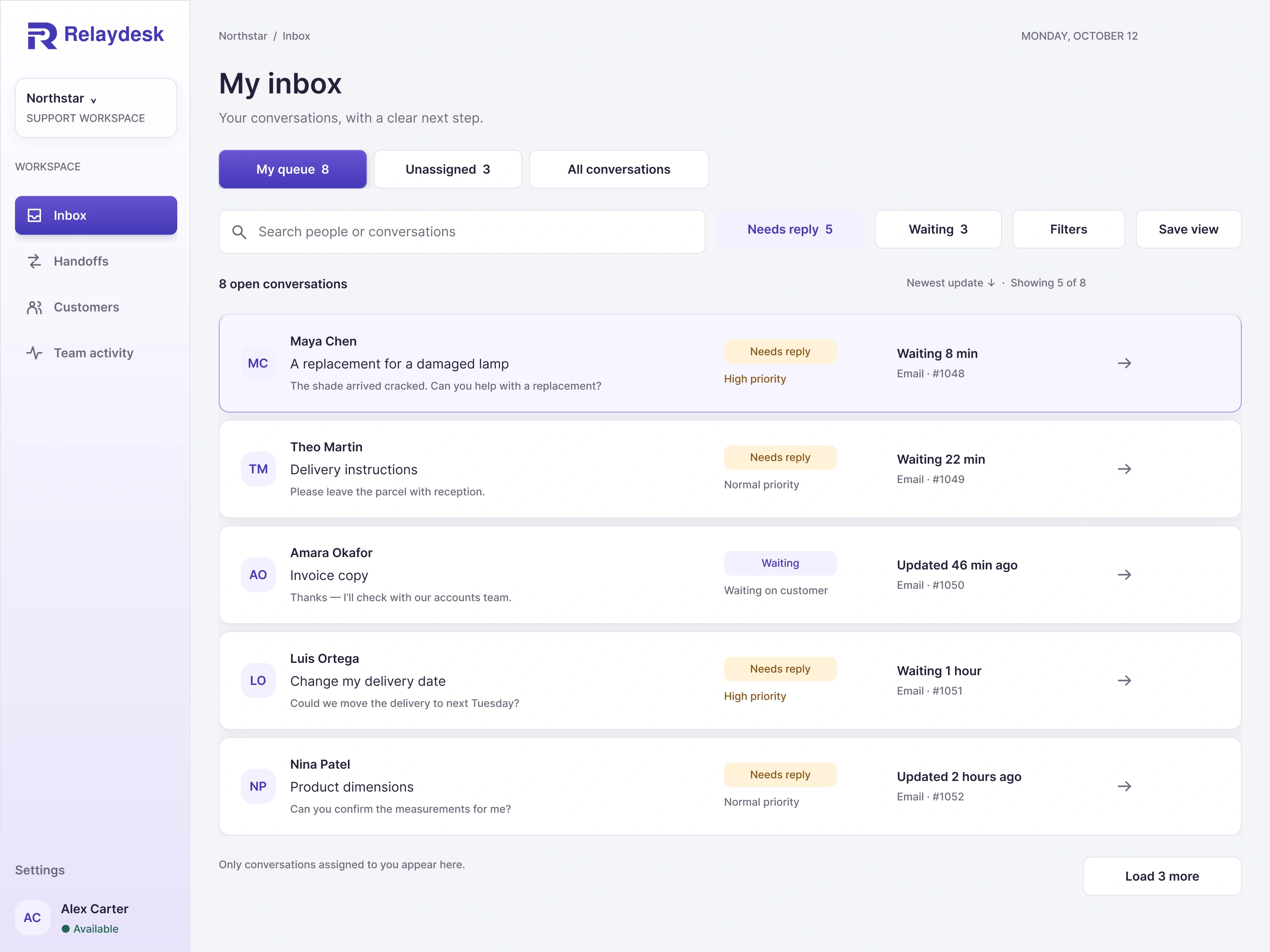
Wireframe
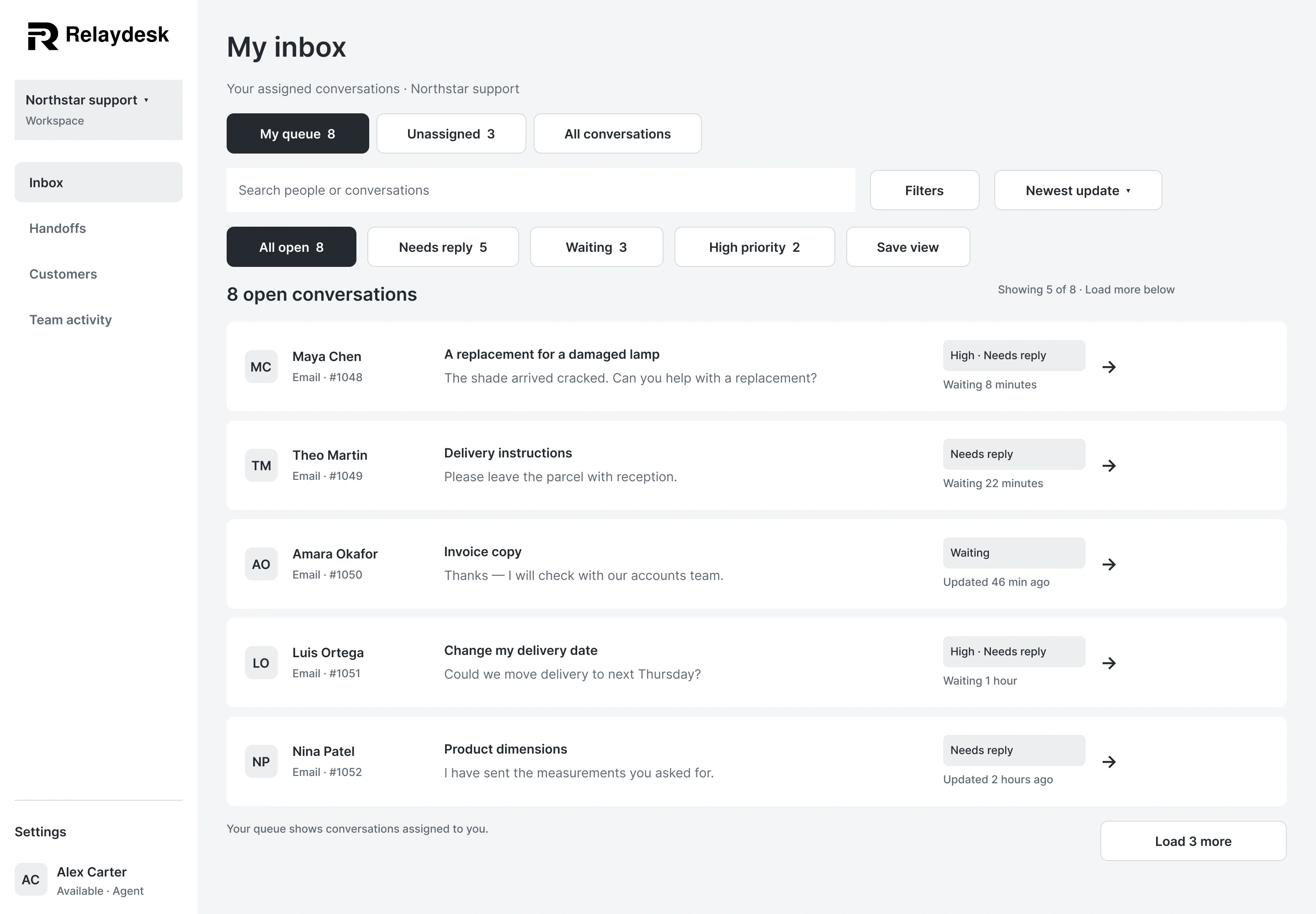
Scroll each preview for the full design, or expand for a closer look.
UI & UX / Desktop web app concept
I designed a customer-support workspace that keeps conversations, ownership, and the next useful action together.
My work Flows · Wireframes · UI & visual design
Figma 18 full desktop screens · Personal concept
From conversation to clear ownership
Browse the journeys, compare each design with its wireframe, and expand either version to see the full screen.
01 · Inbox and handoffs
Clear ownership keeps the inbox actionable. Customer history and the next step stay close to the conversation.
Scroll each preview for the full design, or expand for a closer look.
01 · Inbox and handoffs
Clear ownership keeps the inbox actionable. Customer history and the next step stay close to the conversation.
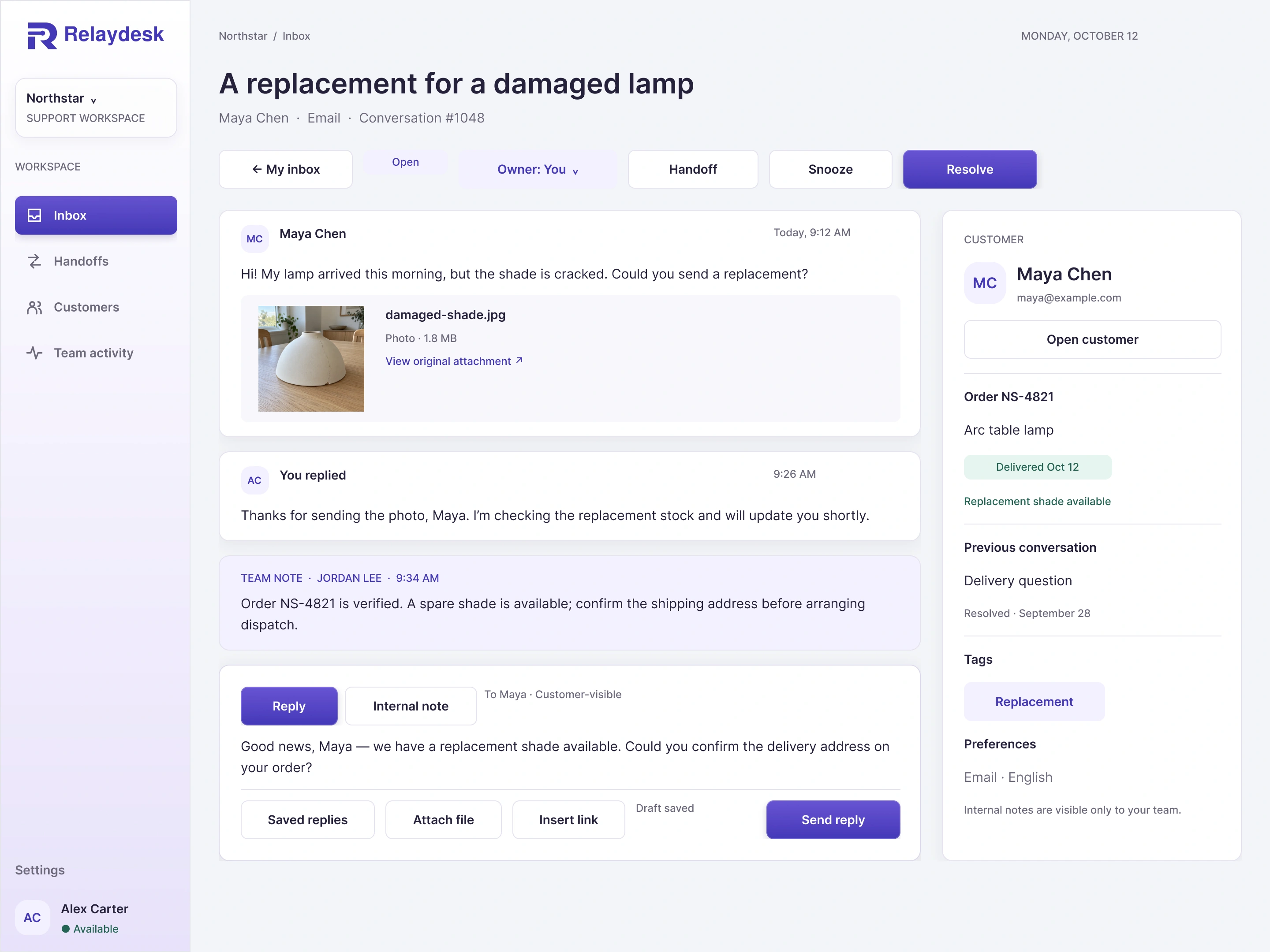
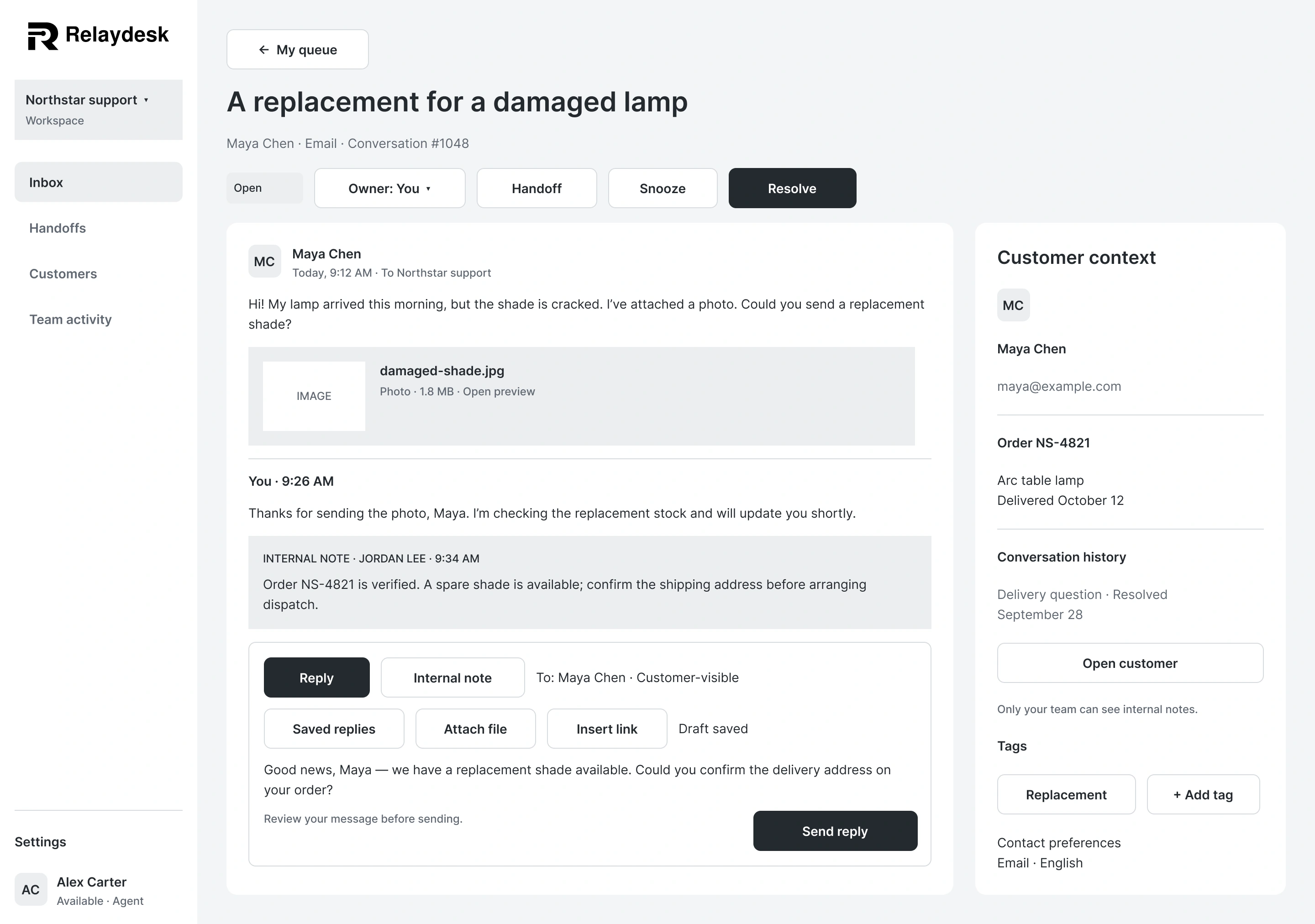
Scroll each preview for the full design, or expand for a closer look.
01 · Inbox and handoffs
Clear ownership keeps the inbox actionable. Customer history and the next step stay close to the conversation.
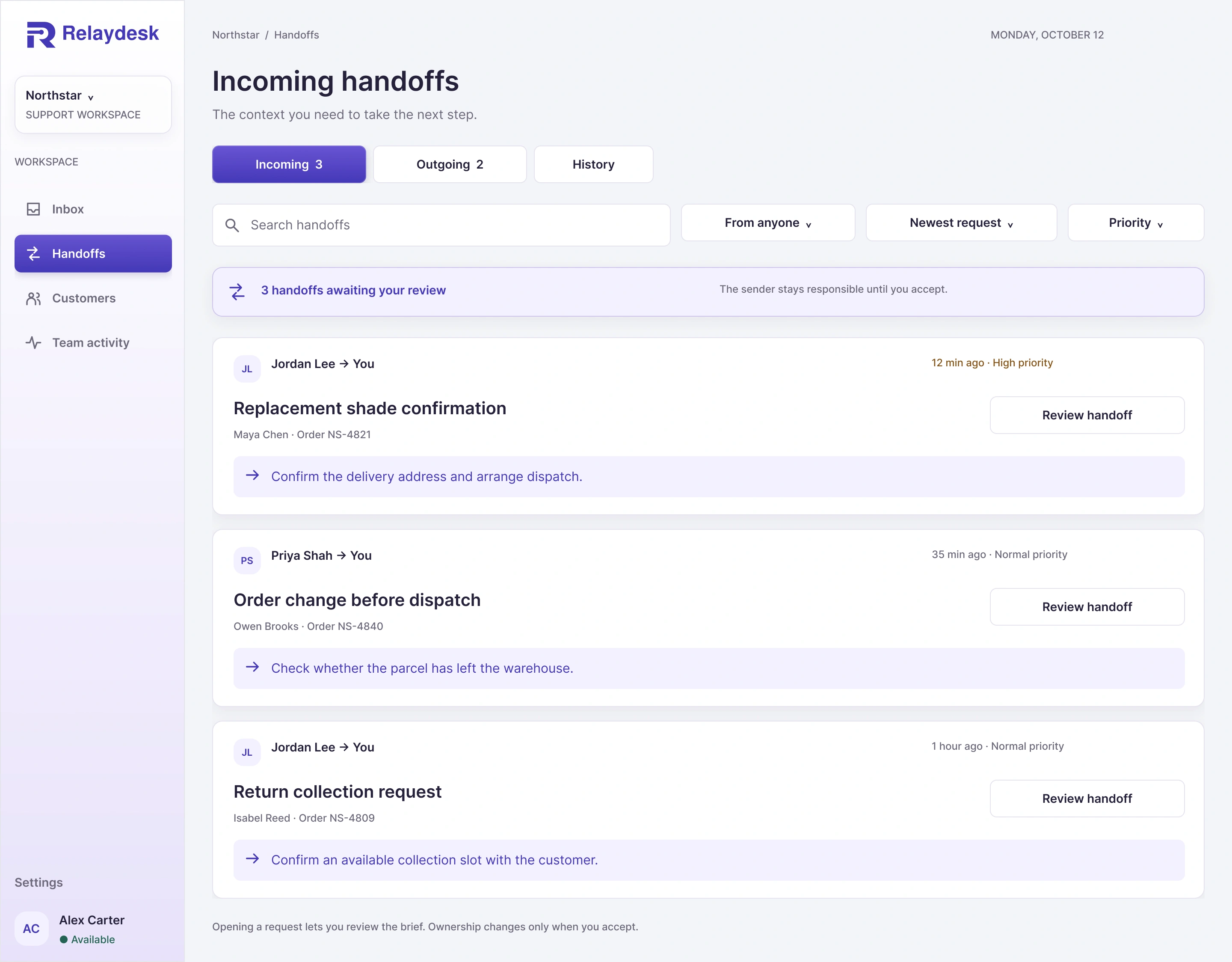
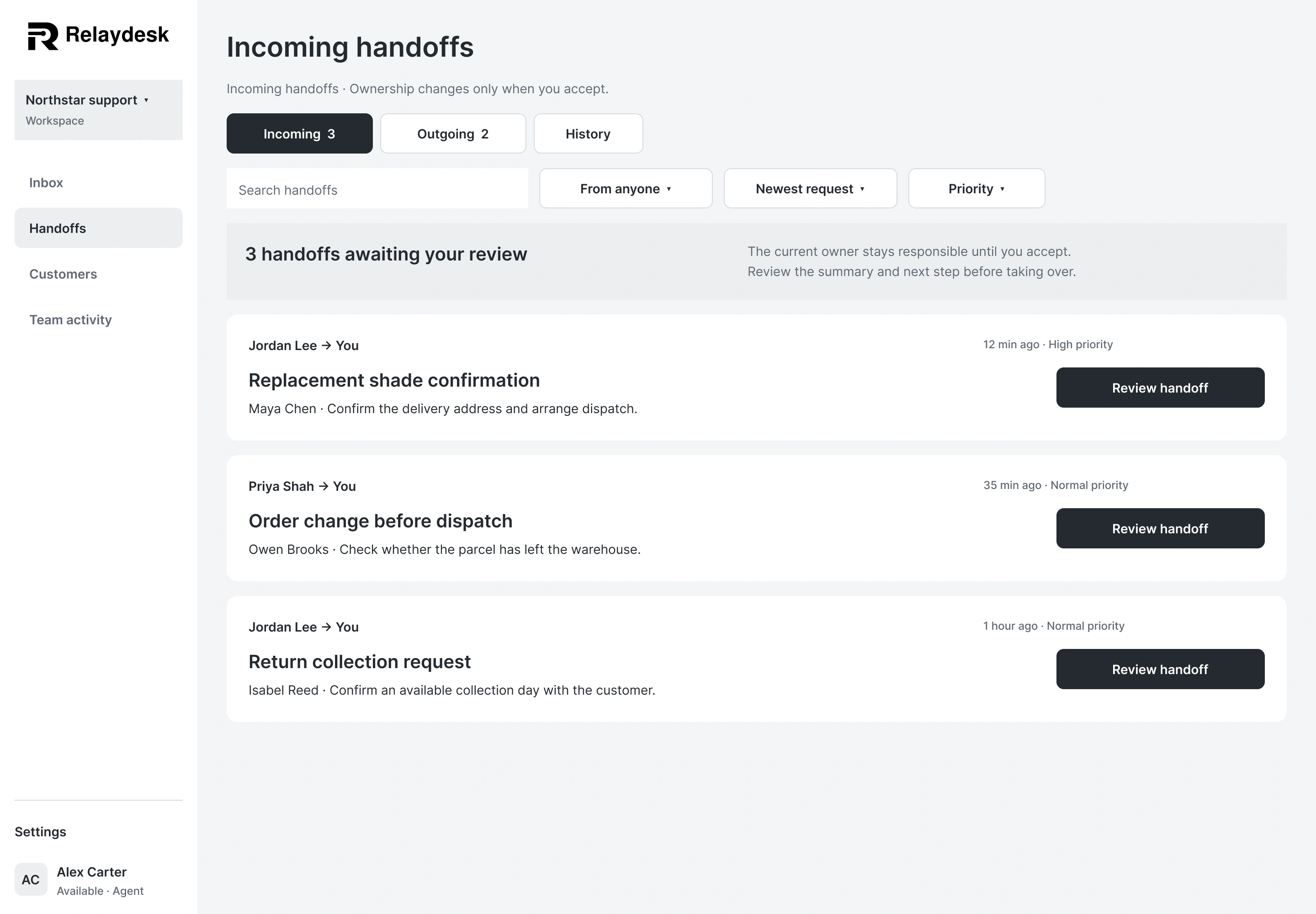
Scroll each preview for the full design, or expand for a closer look.
01 · Inbox and handoffs
Clear ownership keeps the inbox actionable. Customer history and the next step stay close to the conversation.
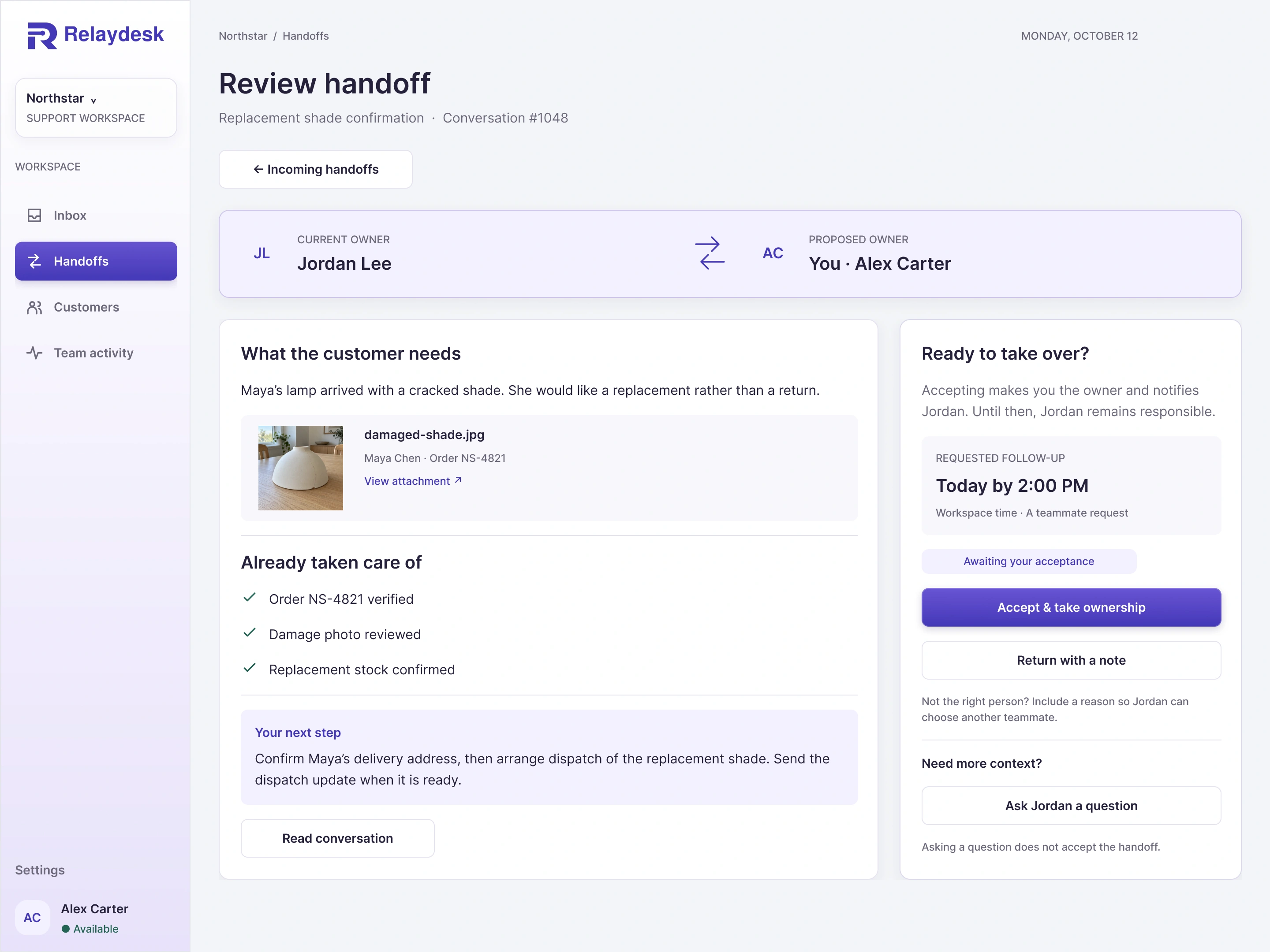
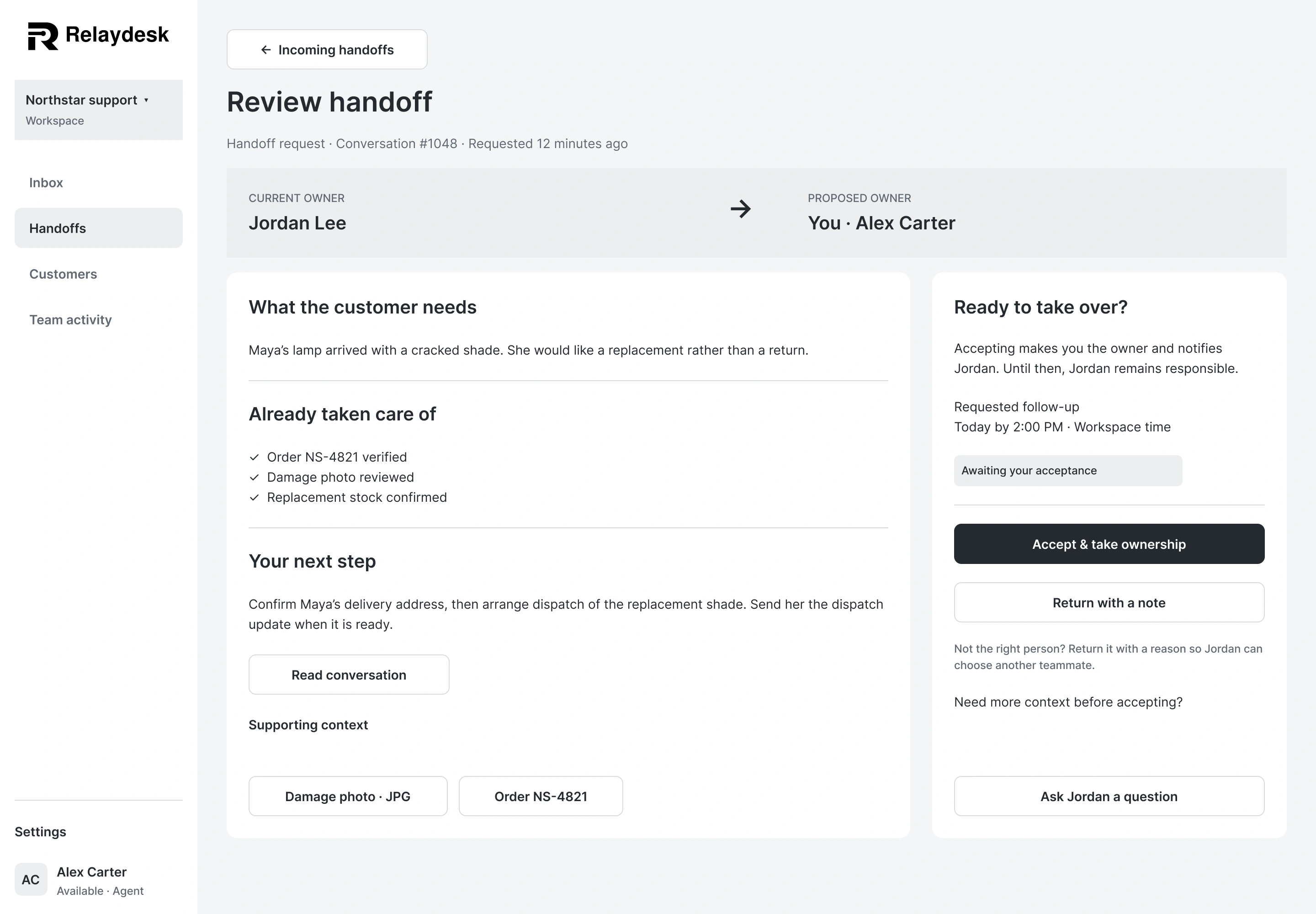
Scroll each preview for the full design, or expand for a closer look.
02 · Account entry
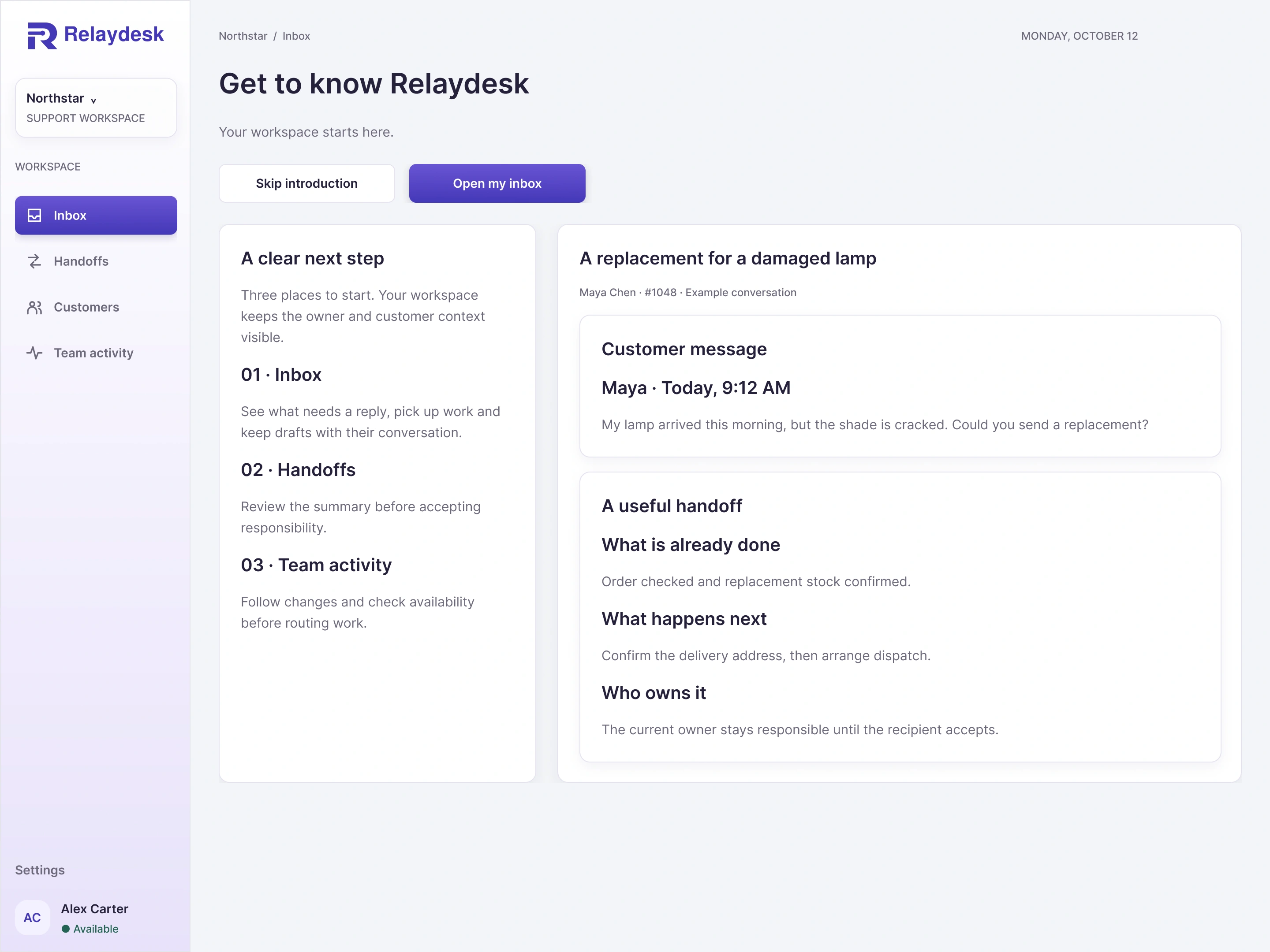
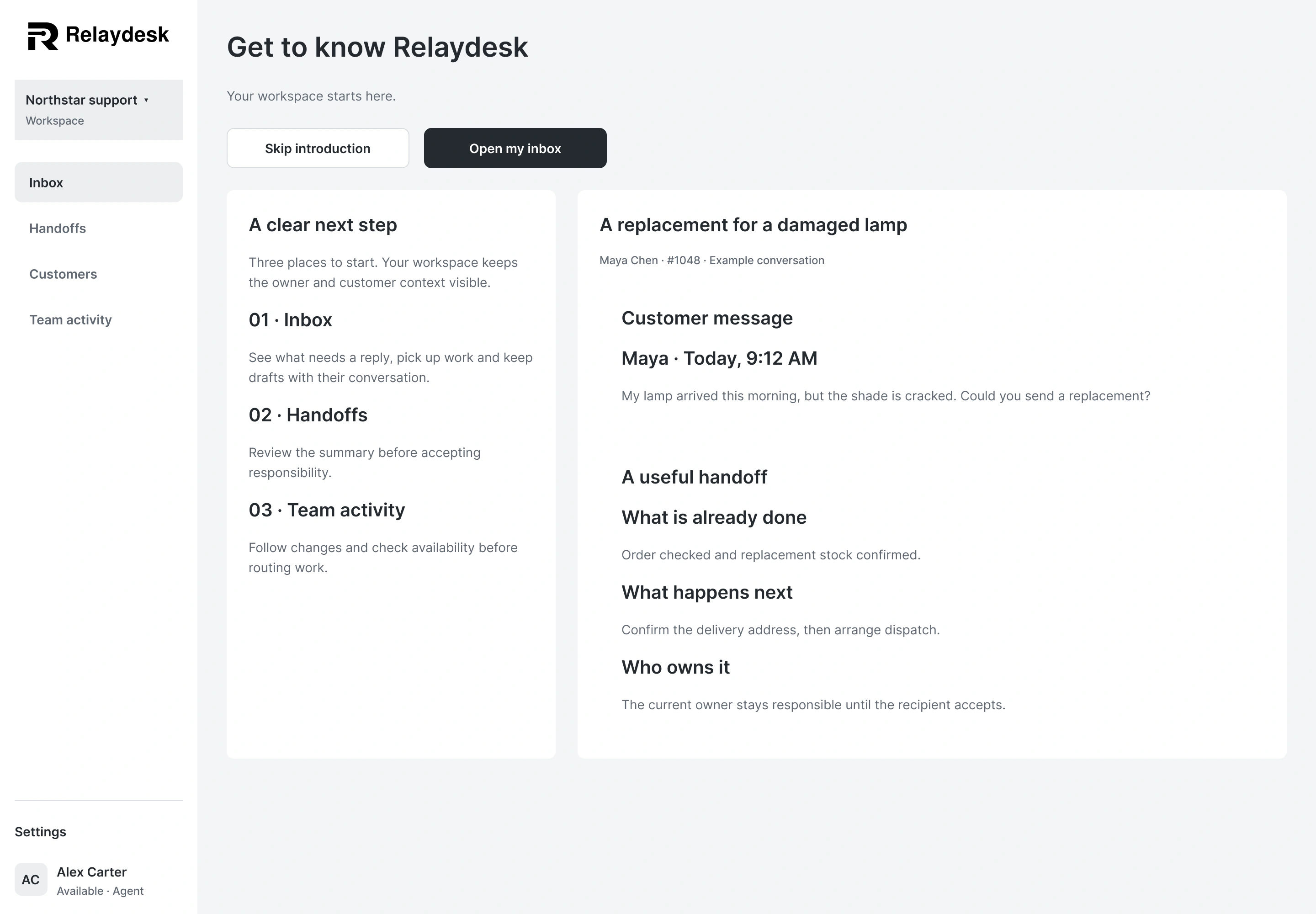
Account entry includes recovery, workspace creation, setup, and an optional introduction with a clear skip route.
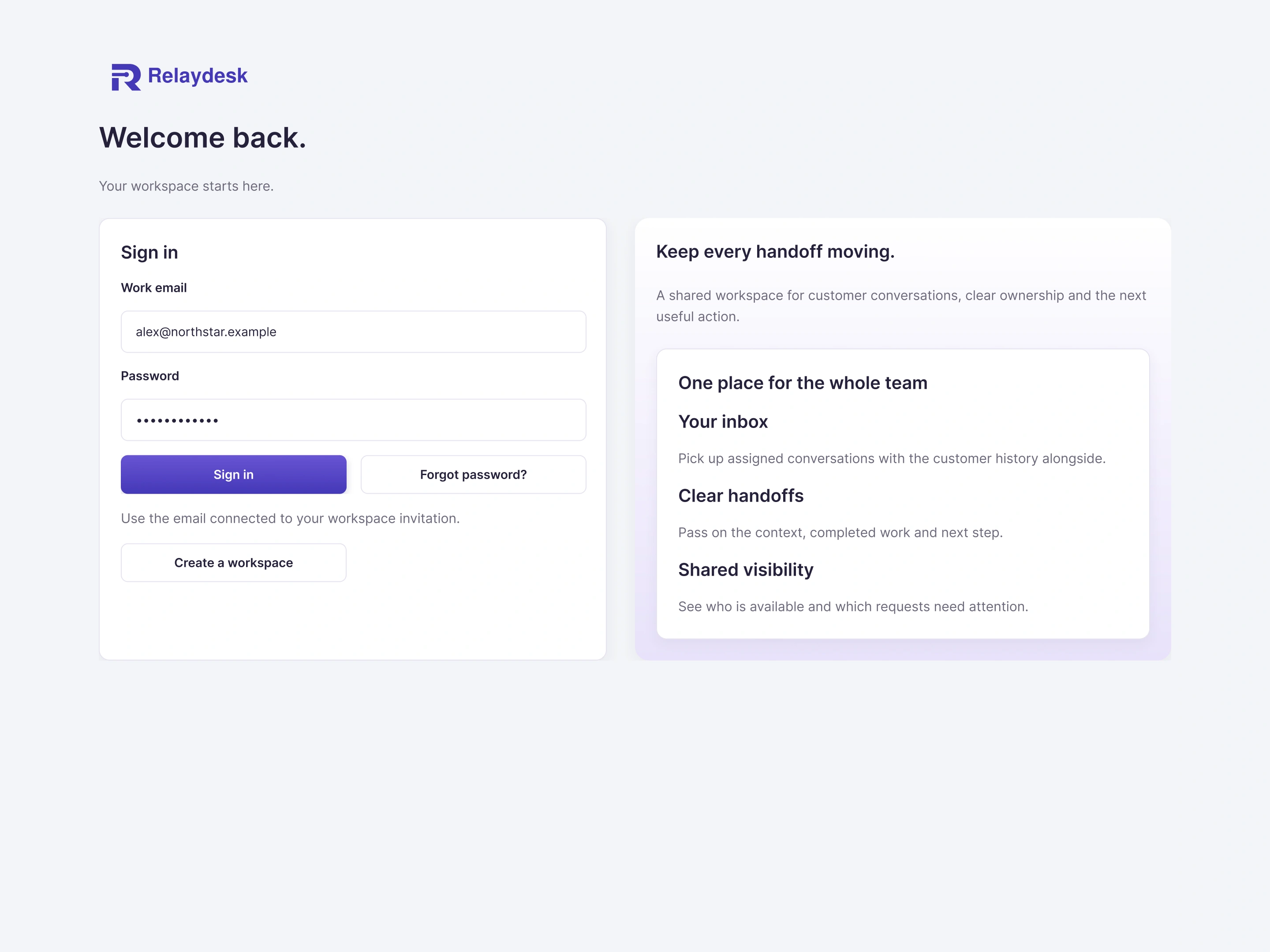
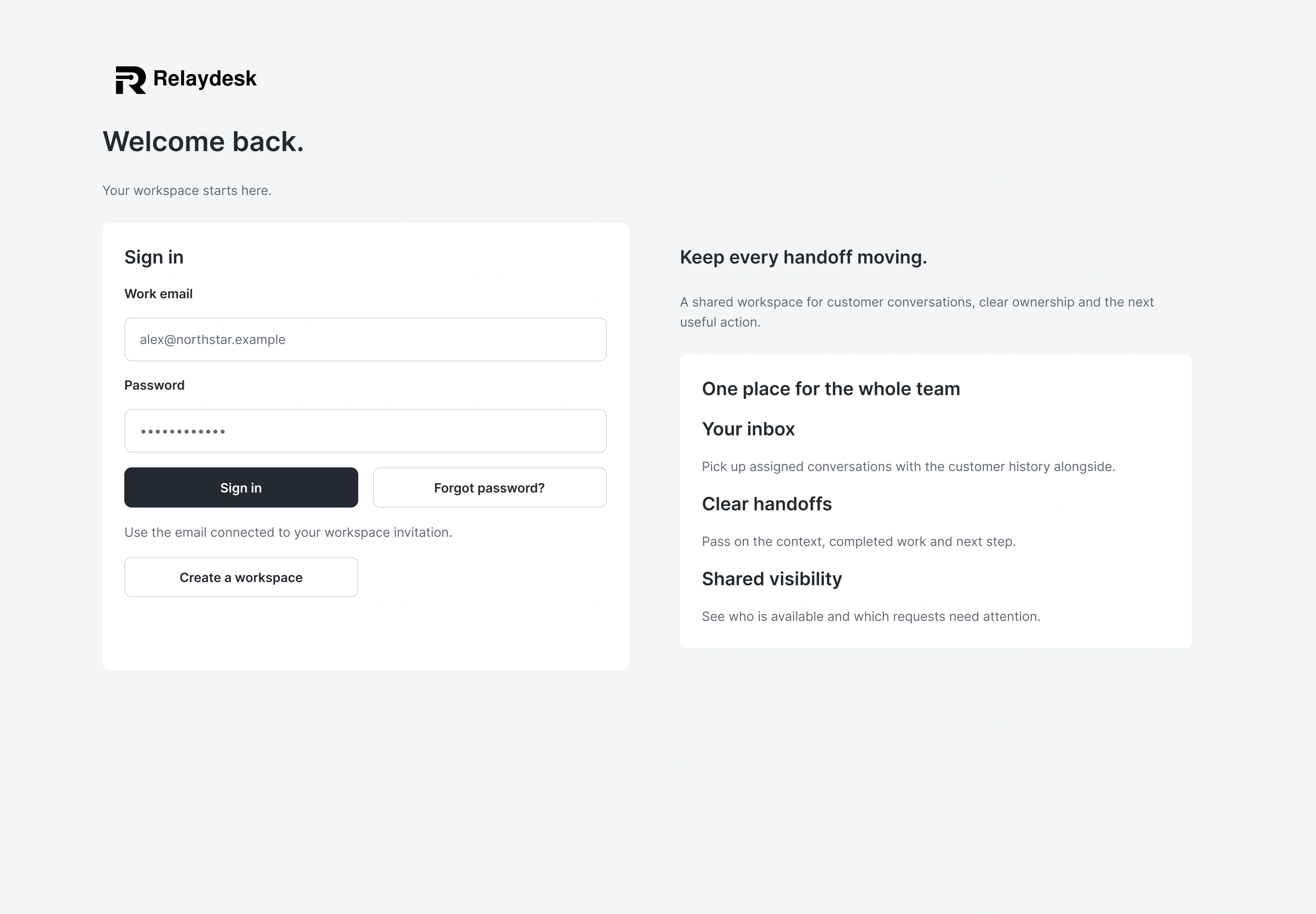
Scroll each preview for the full design, or expand for a closer look.
02 · Account entry
Account entry includes recovery, workspace creation, setup, and an optional introduction with a clear skip route.
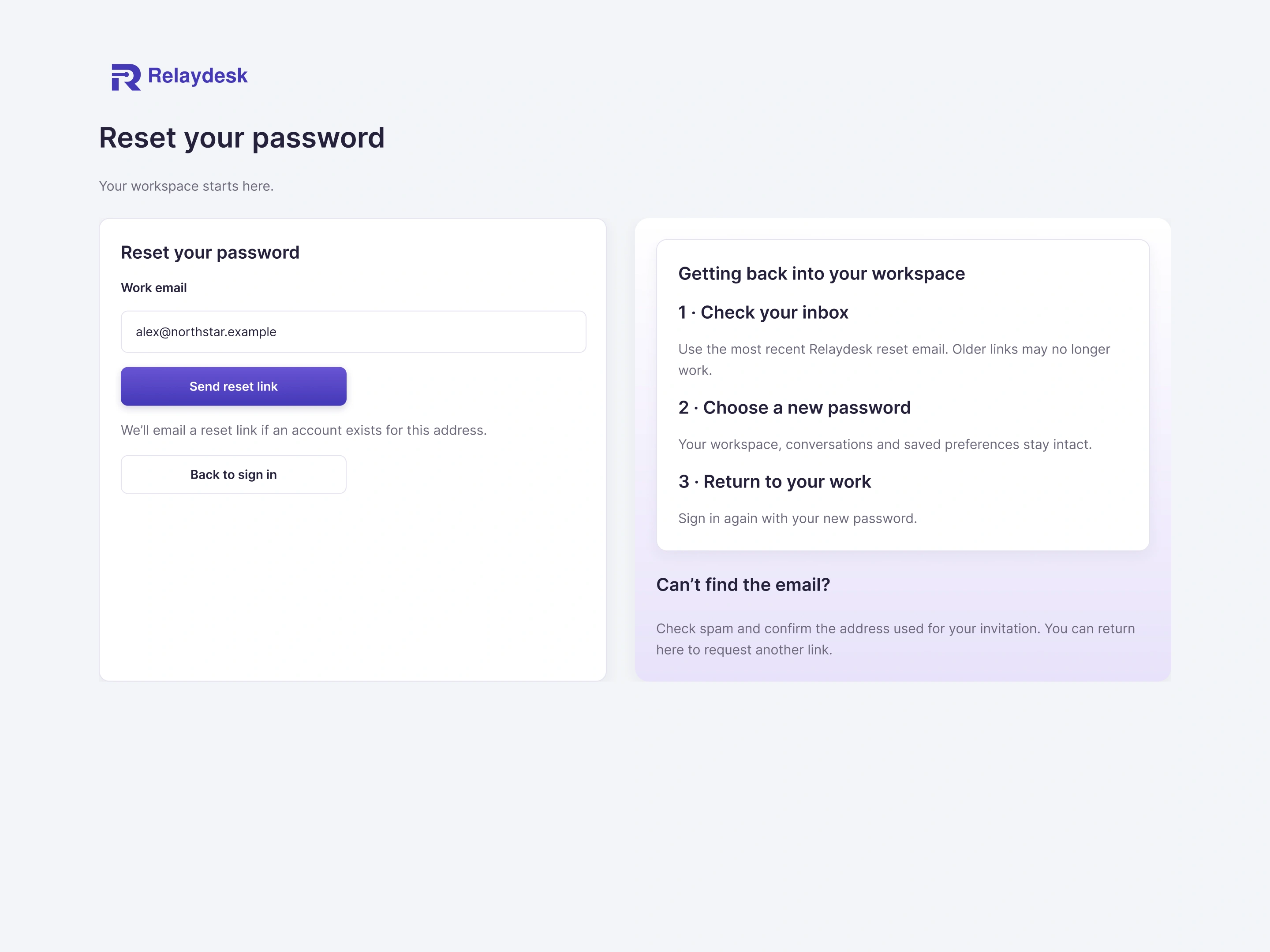
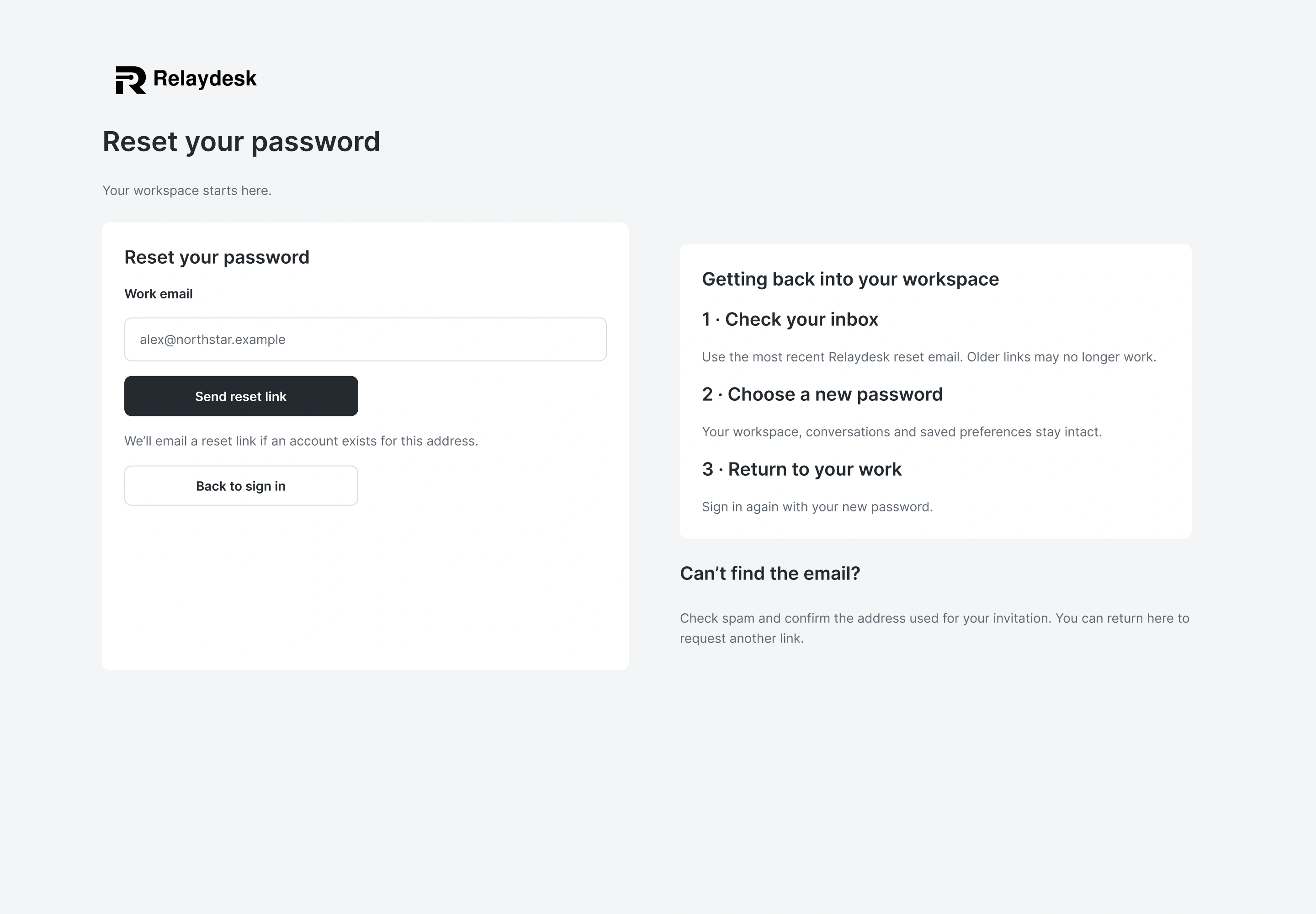
Scroll each preview for the full design, or expand for a closer look.
02 · Account entry
Account entry includes recovery, workspace creation, setup, and an optional introduction with a clear skip route.
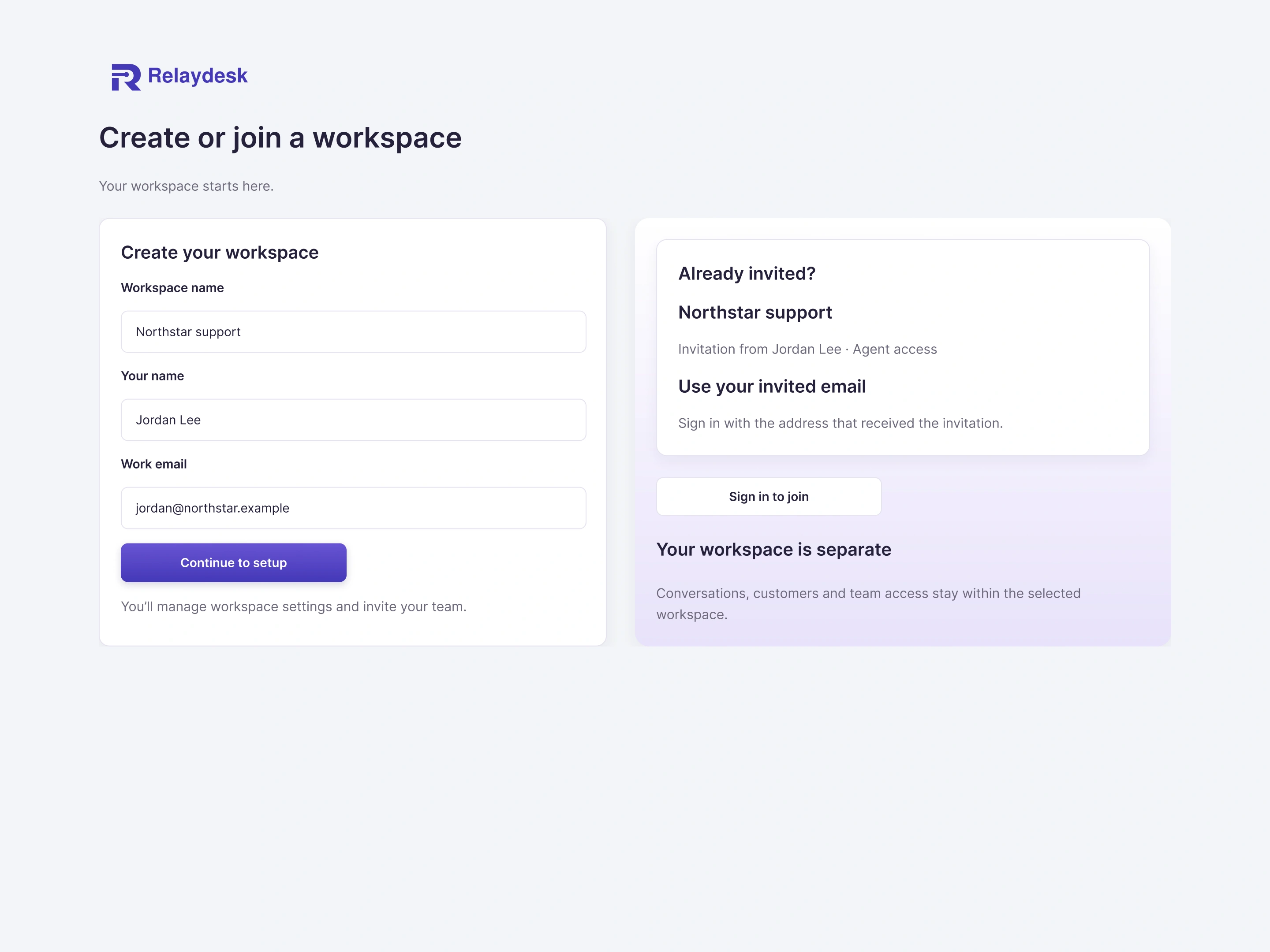
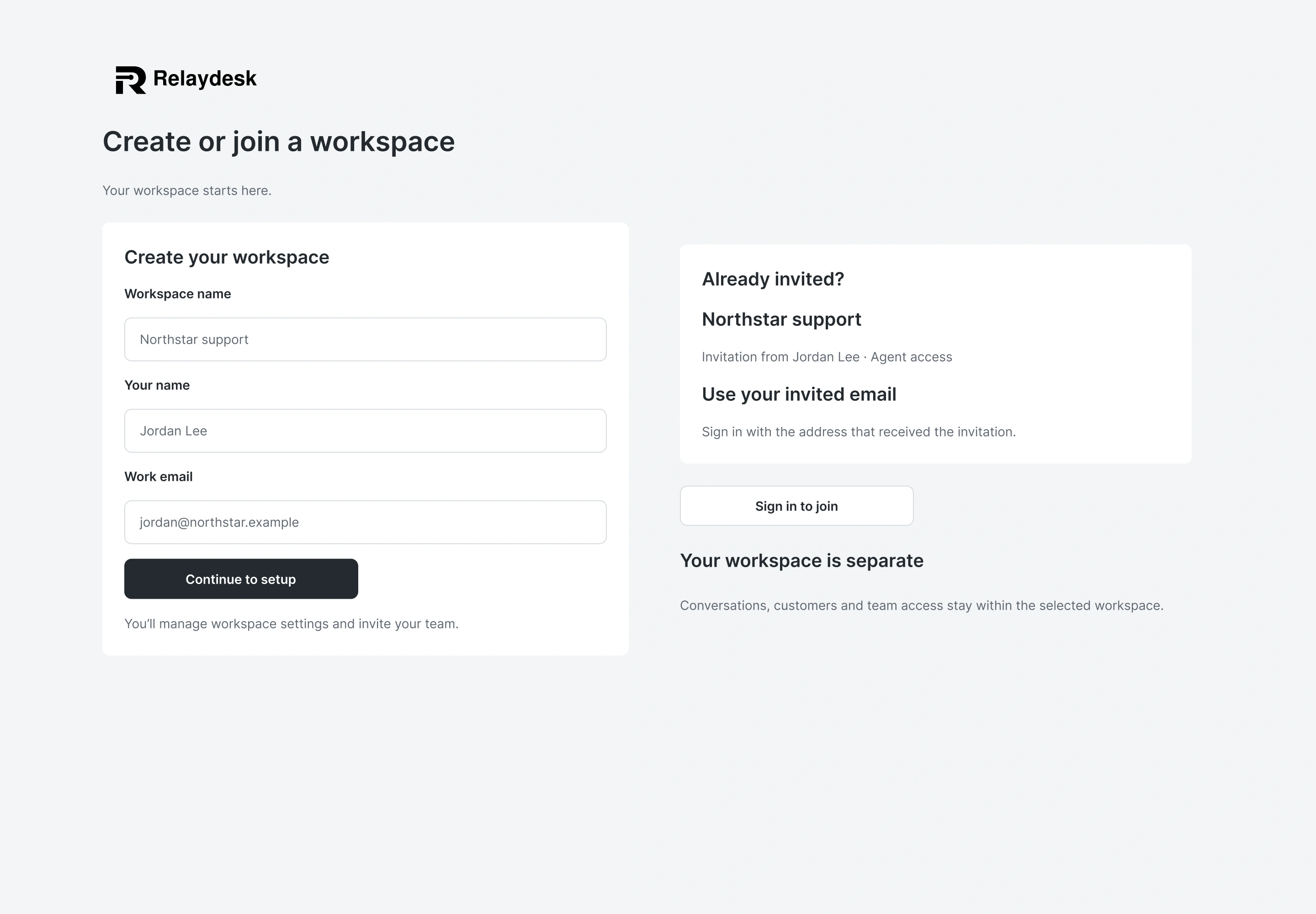
Scroll each preview for the full design, or expand for a closer look.
02 · Account entry
Account entry includes recovery, workspace creation, setup, and an optional introduction with a clear skip route.
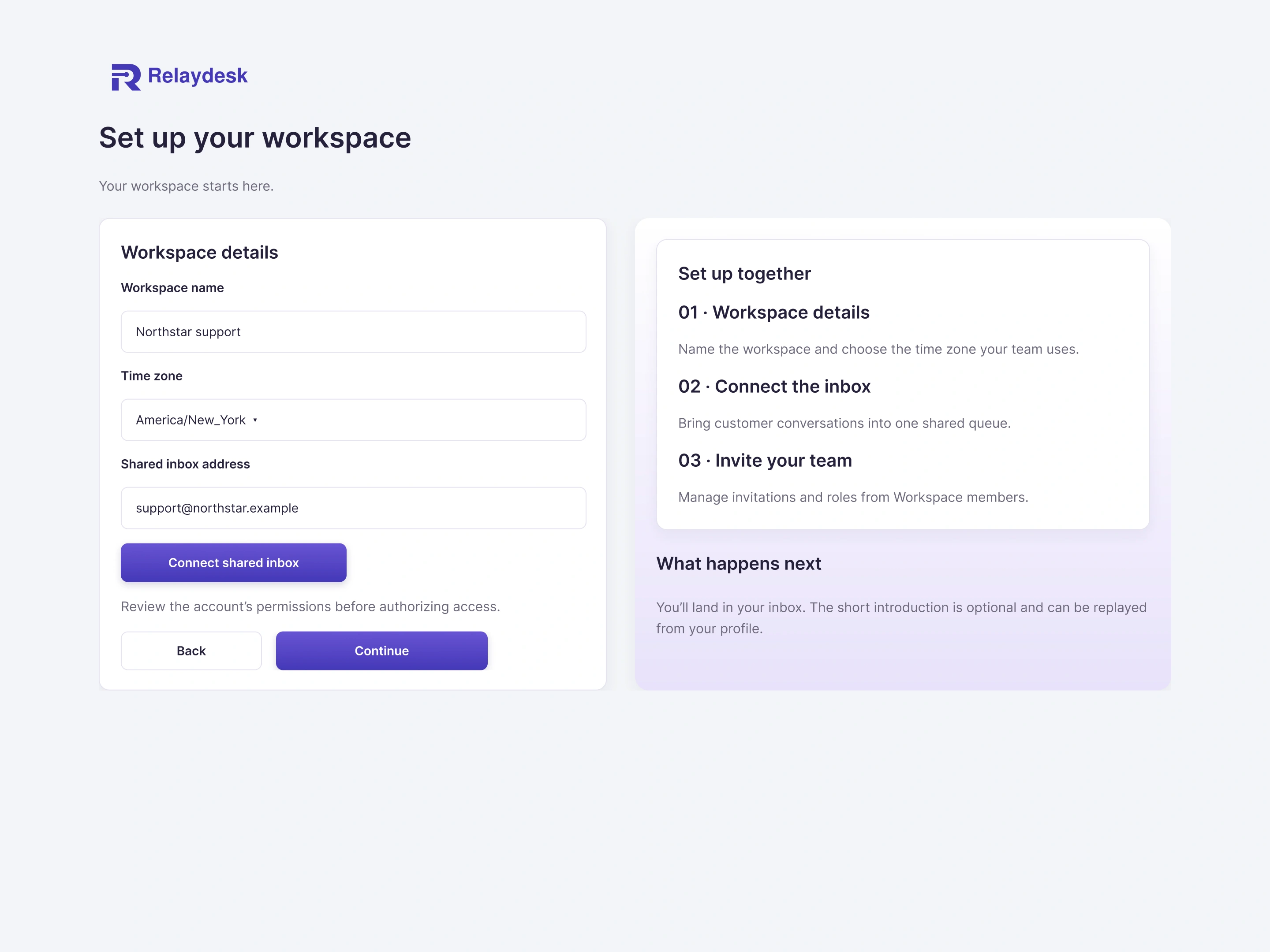
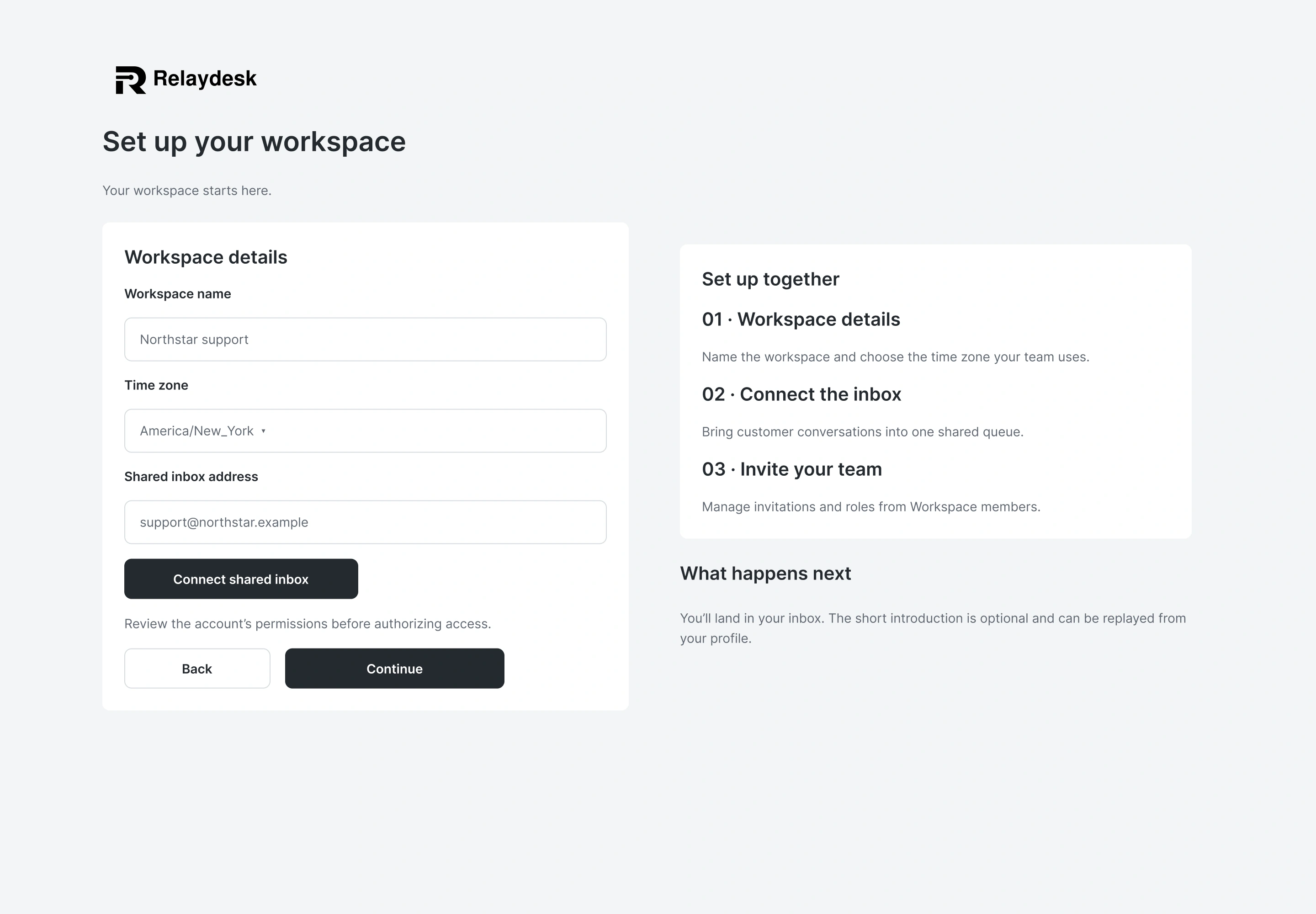
Scroll each preview for the full design, or expand for a closer look.
02 · Account entry
Account entry includes recovery, workspace creation, setup, and an optional introduction with a clear skip route.
Scroll each preview for the full design, or expand for a closer look.
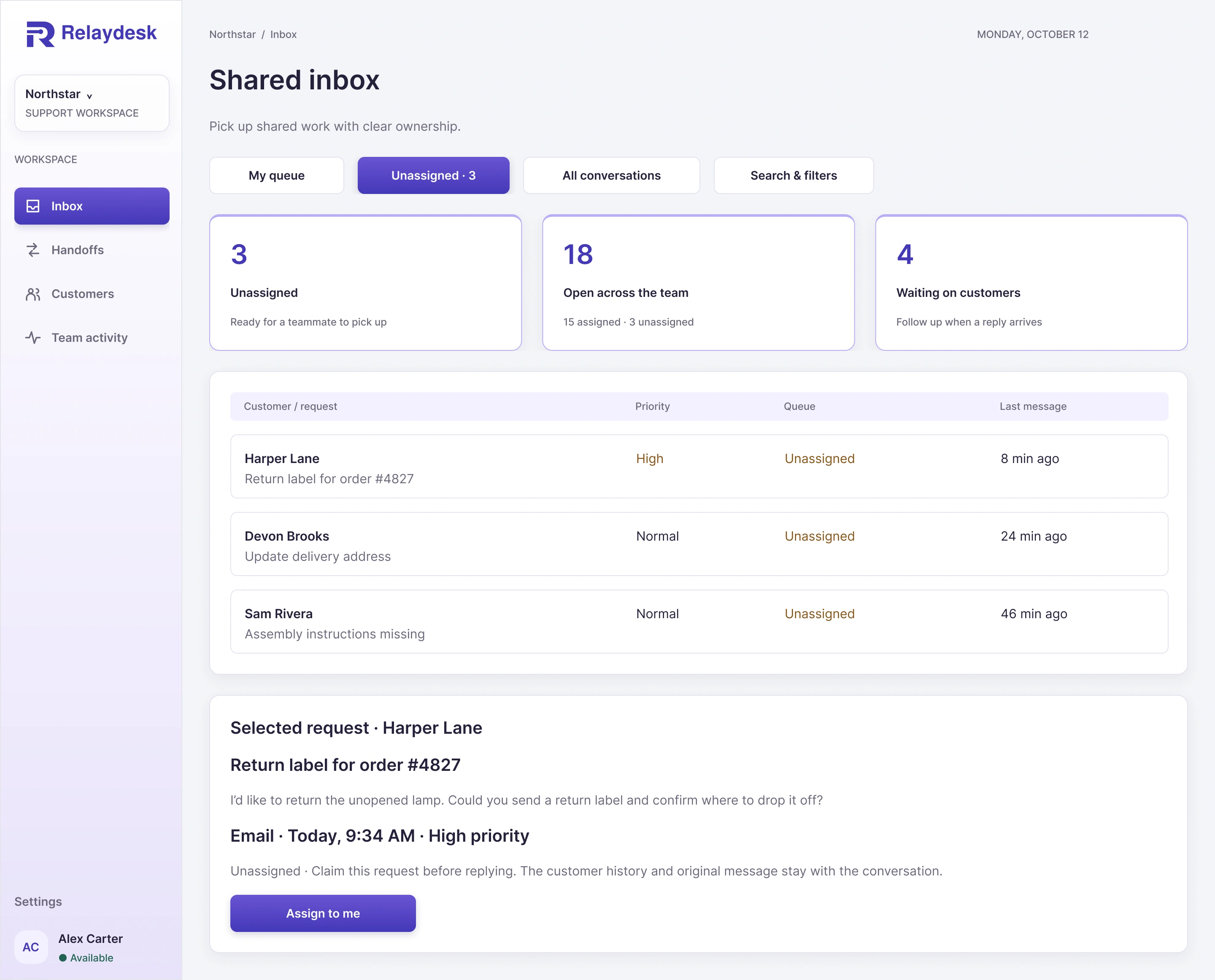
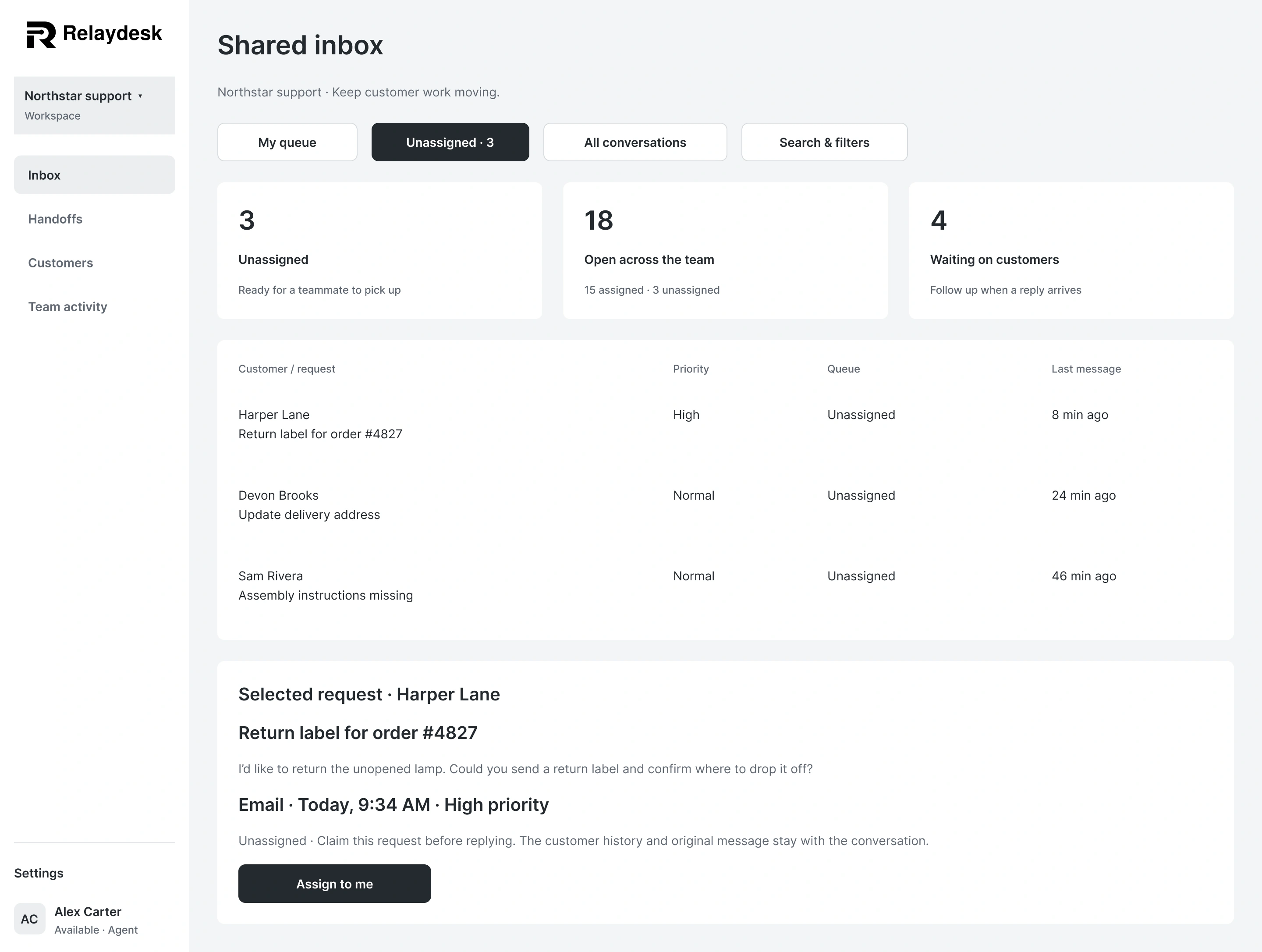
03 · Shared work and search
Shared work stays distinct from a personal queue. Search and filters help teammates find the right conversation.
Scroll each preview for the full design, or expand for a closer look.
03 · Shared work and search
Shared work stays distinct from a personal queue. Search and filters help teammates find the right conversation.
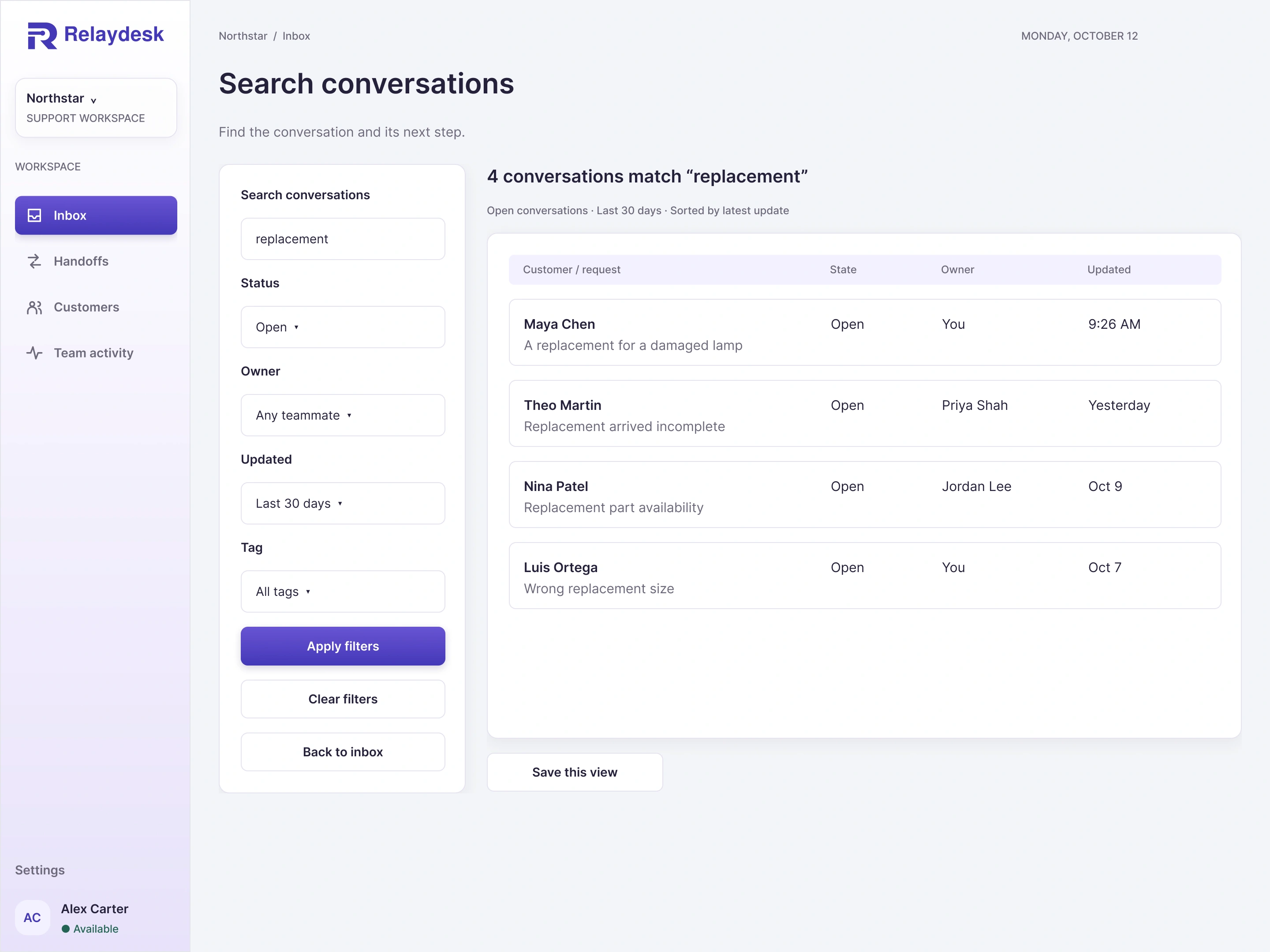
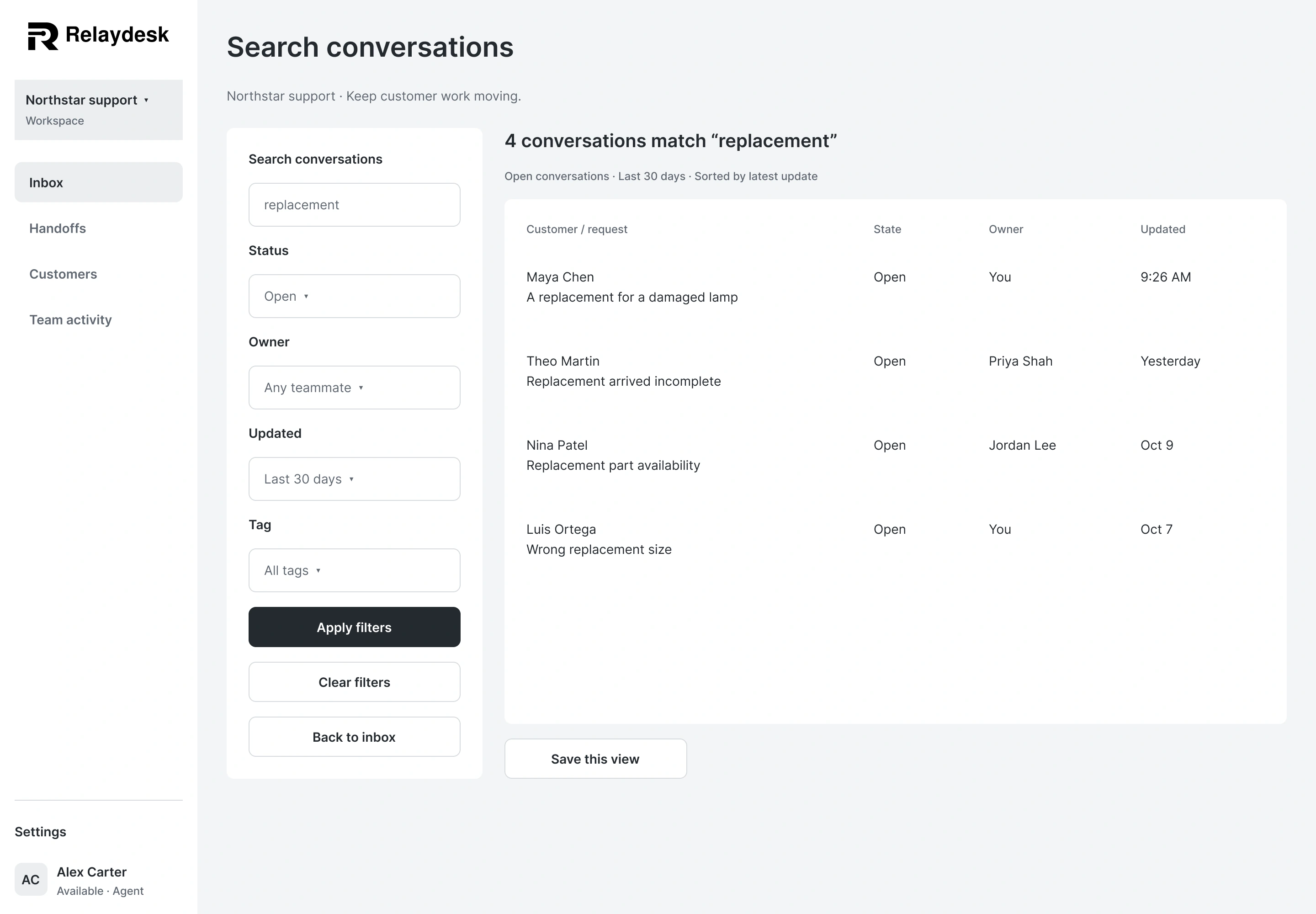
Scroll each preview for the full design, or expand for a closer look.
04 · Customer workspace
Customer details connect current requests with previous conversations, preferences, and internal context.
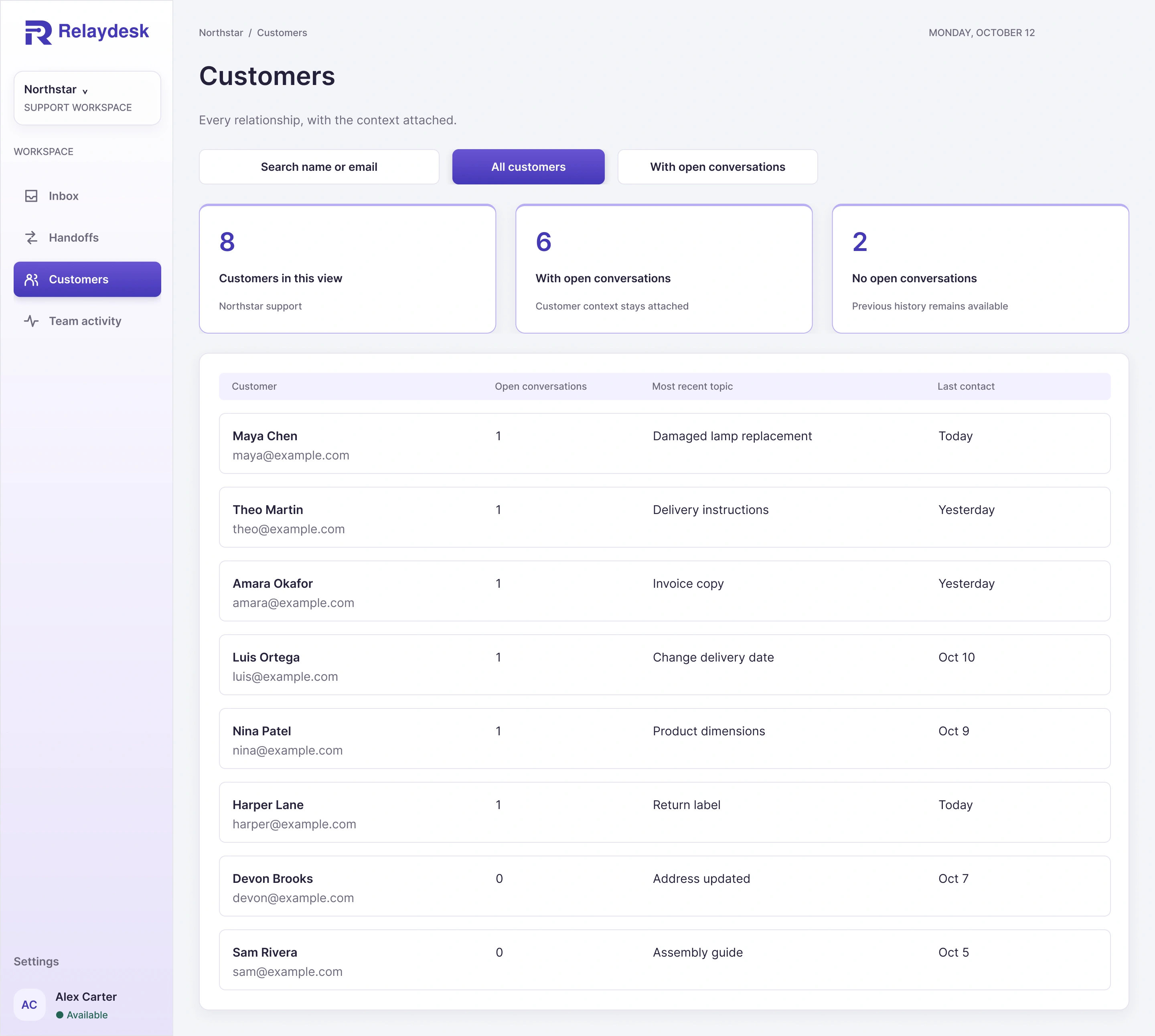
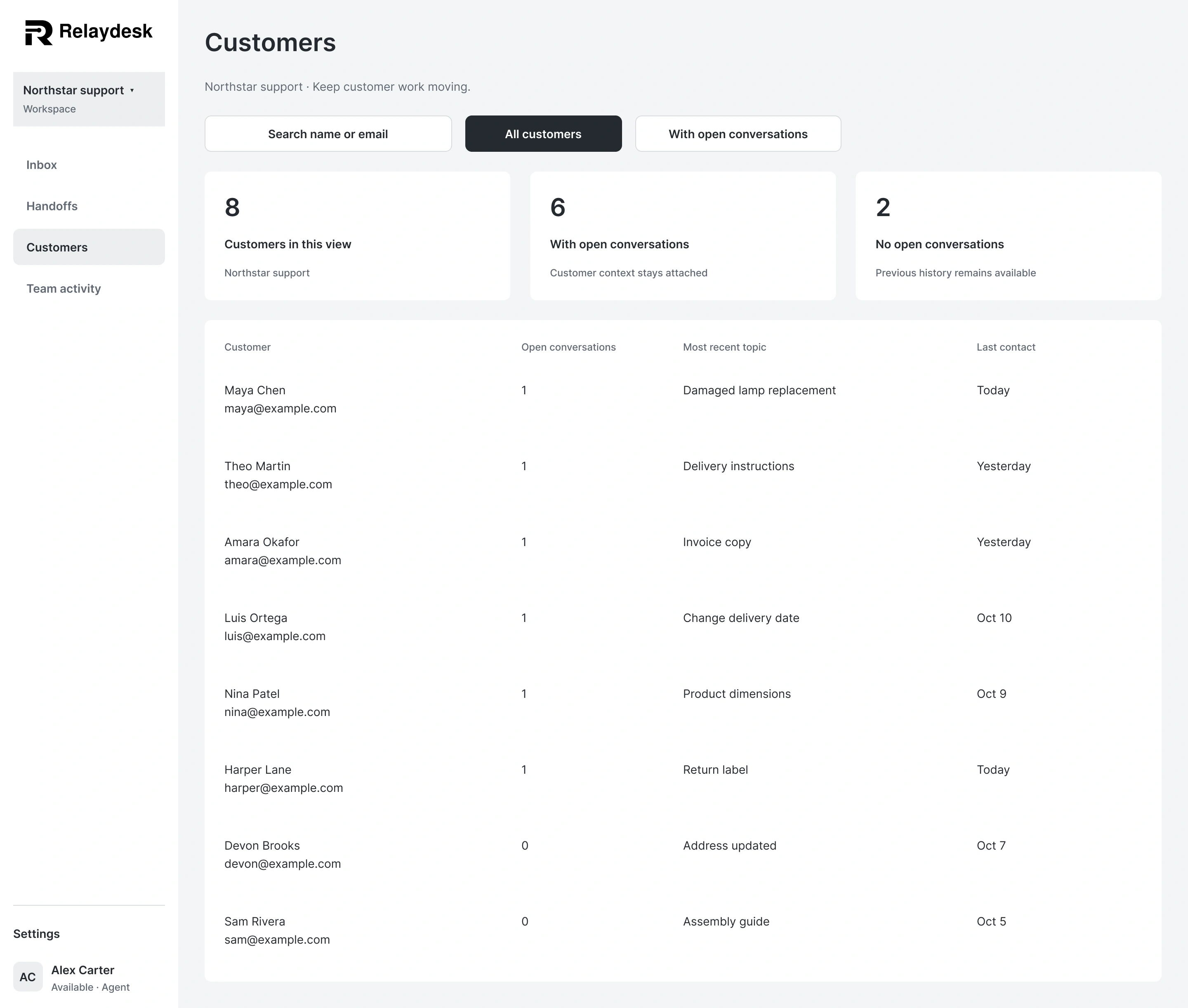
Scroll each preview for the full design, or expand for a closer look.
04 · Customer workspace
Customer details connect current requests with previous conversations, preferences, and internal context.
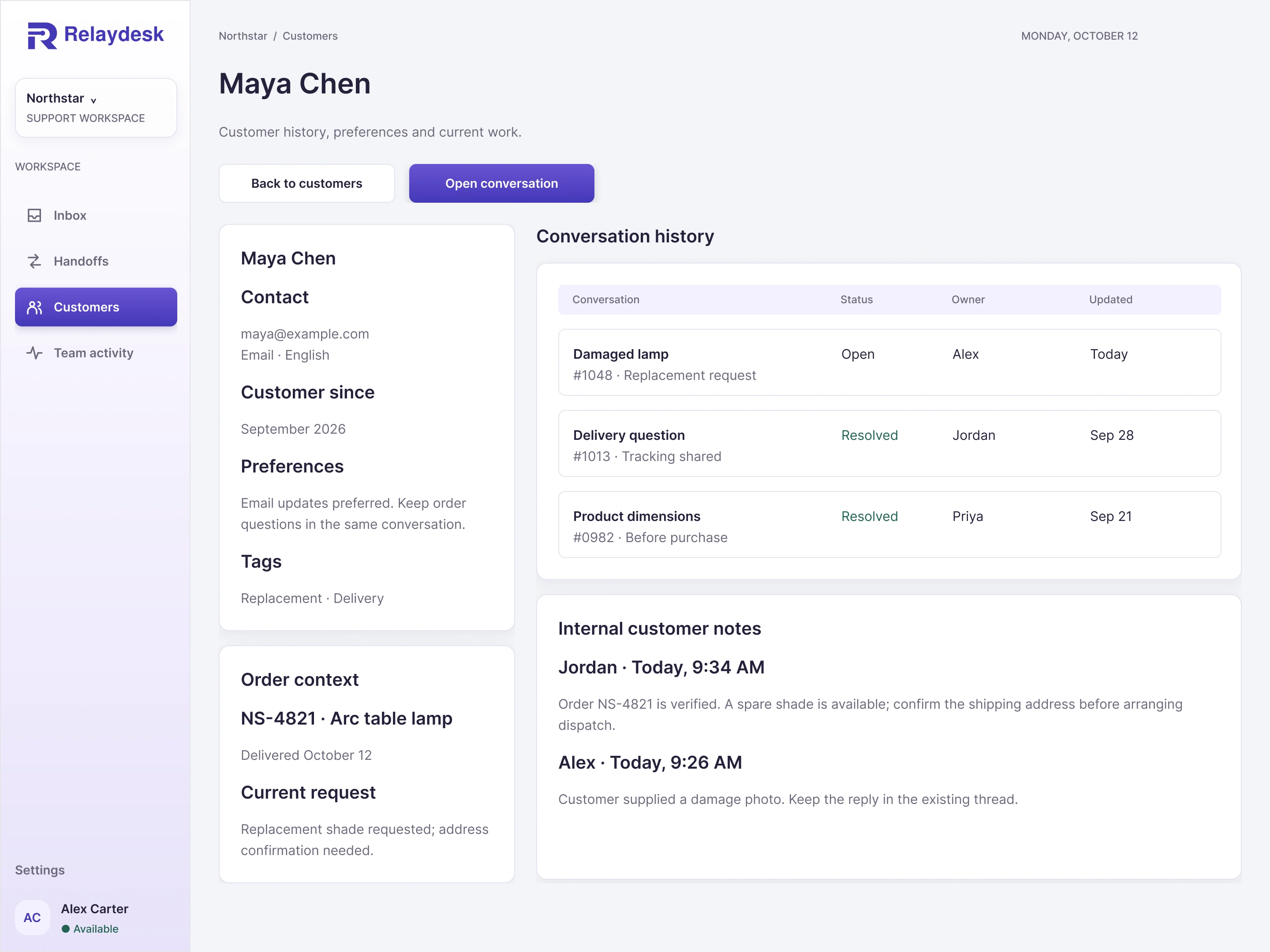
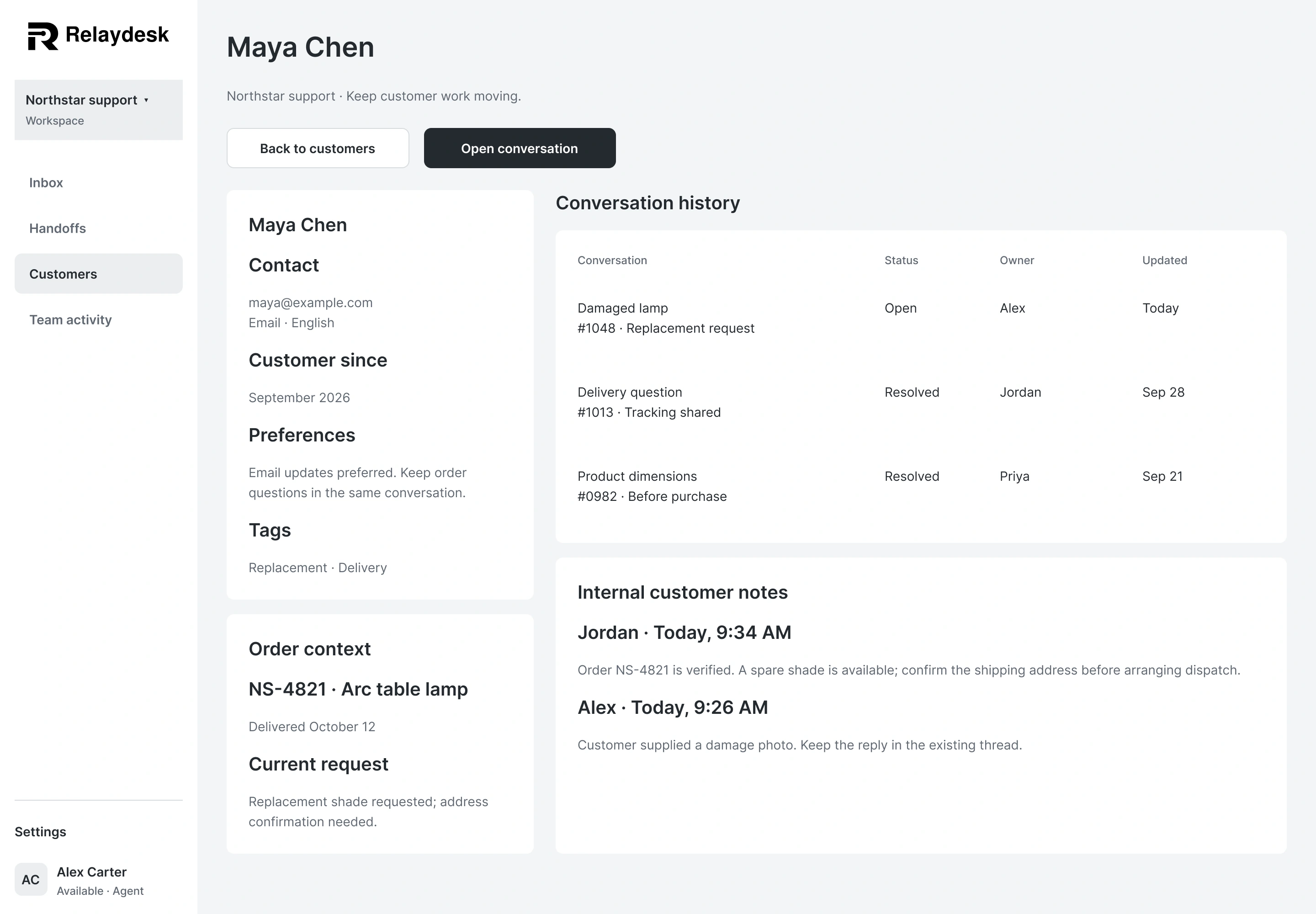
Scroll each preview for the full design, or expand for a closer look.
05 · Team and settings
Team views bring activity, availability, invitations, and workspace settings into complete desktop workspaces.
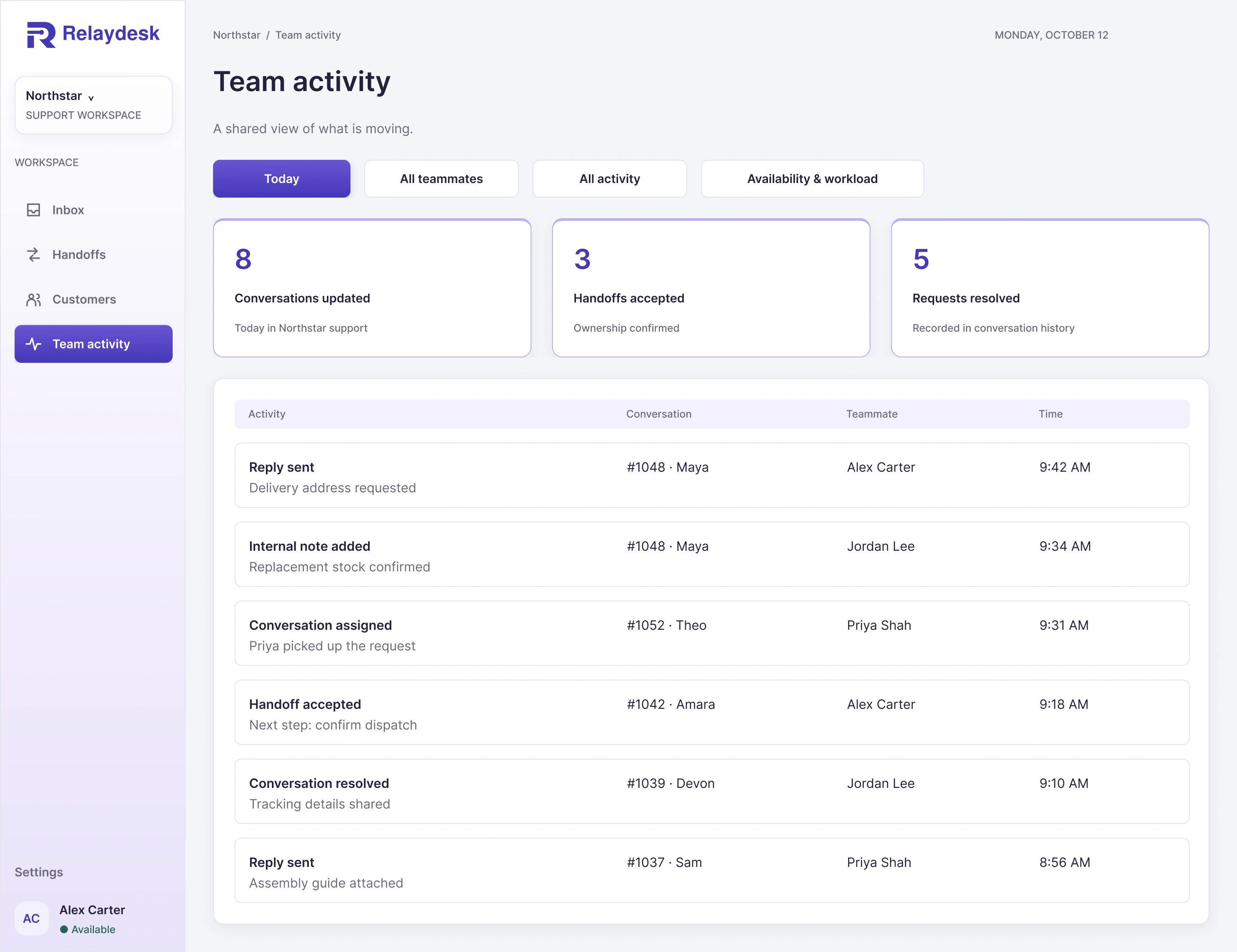
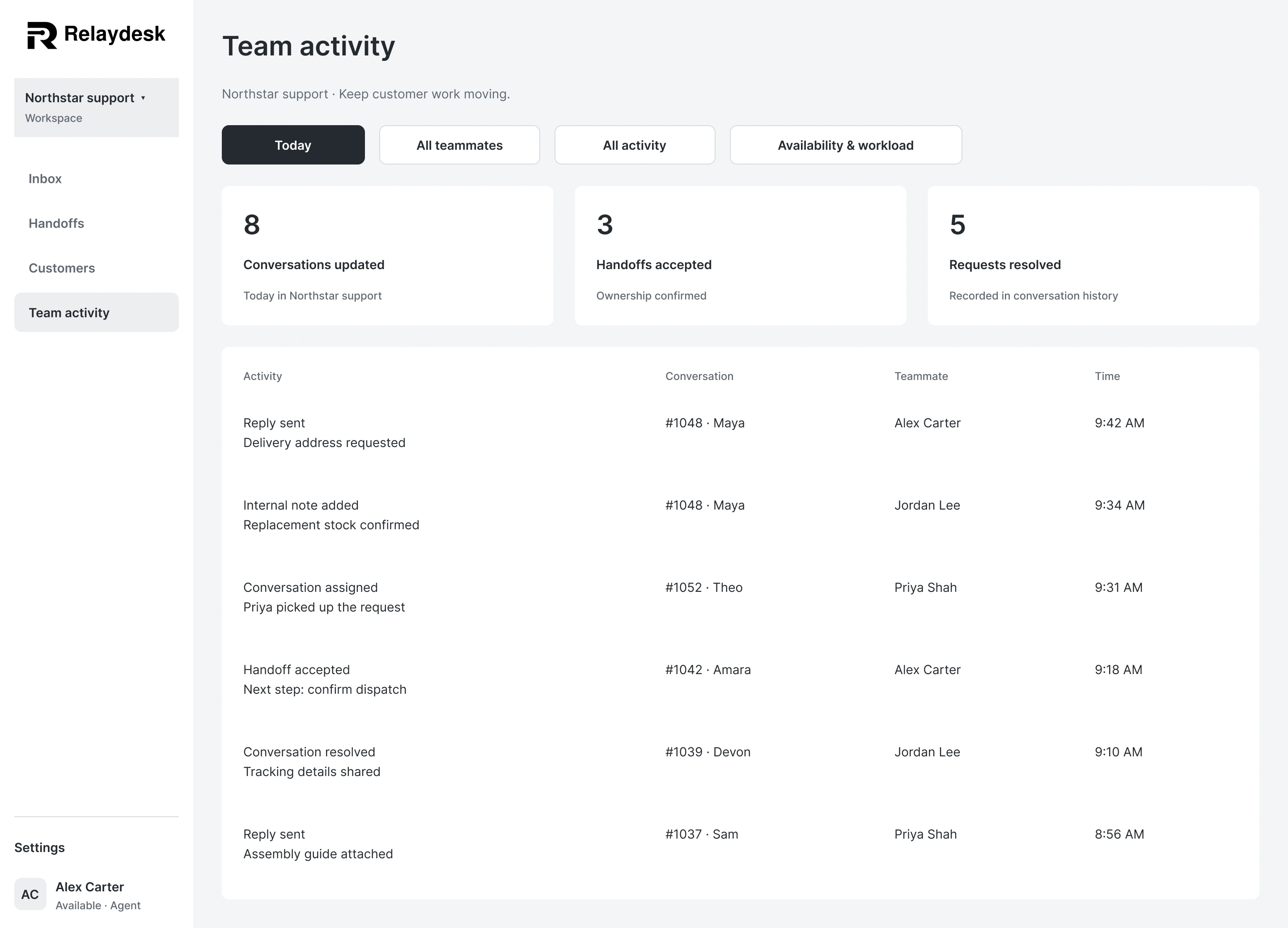
Scroll each preview for the full design, or expand for a closer look.
05 · Team and settings
Team views bring activity, availability, invitations, and workspace settings into complete desktop workspaces.
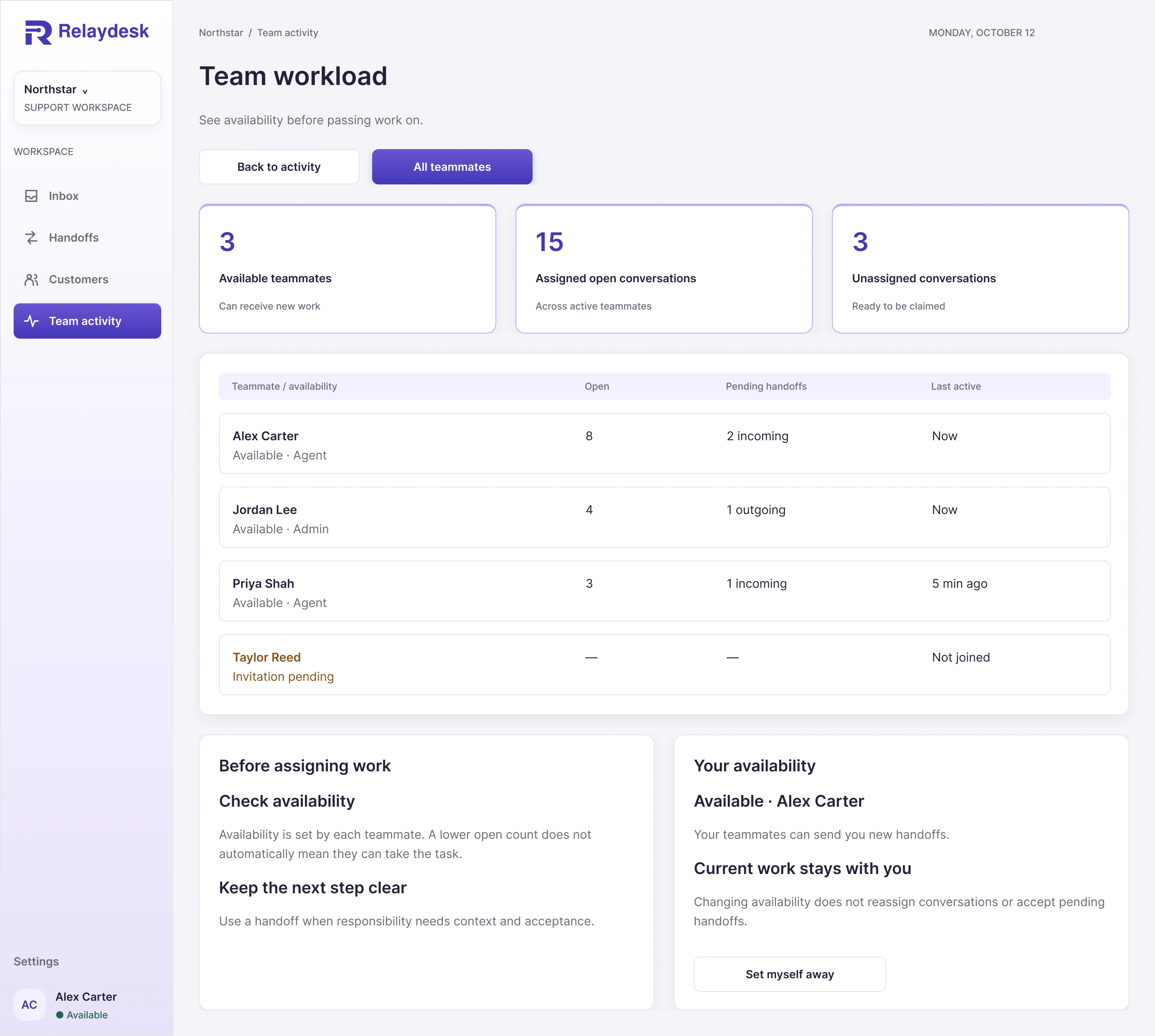
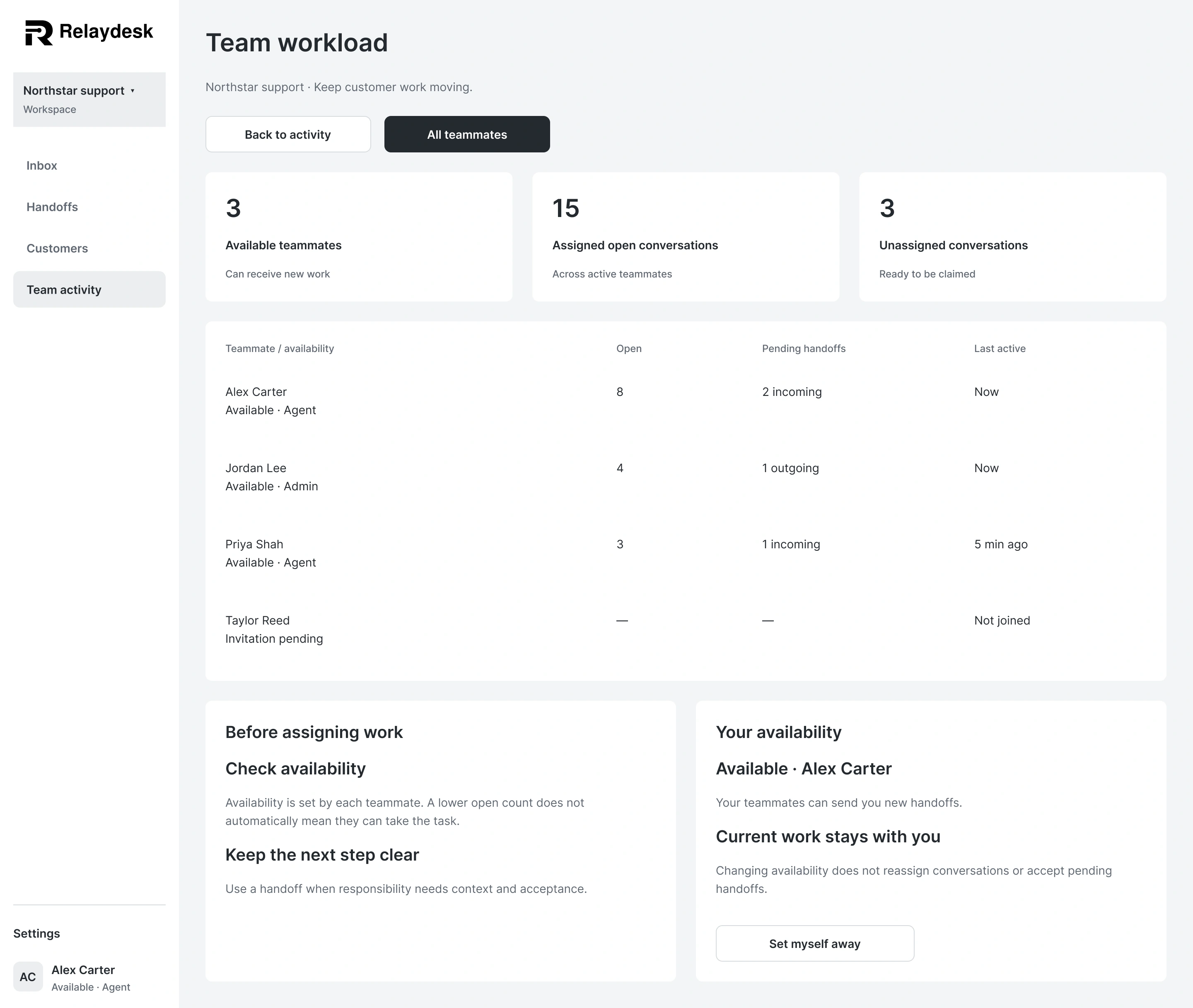
Scroll each preview for the full design, or expand for a closer look.
05 · Team and settings
Team views bring activity, availability, invitations, and workspace settings into complete desktop workspaces.
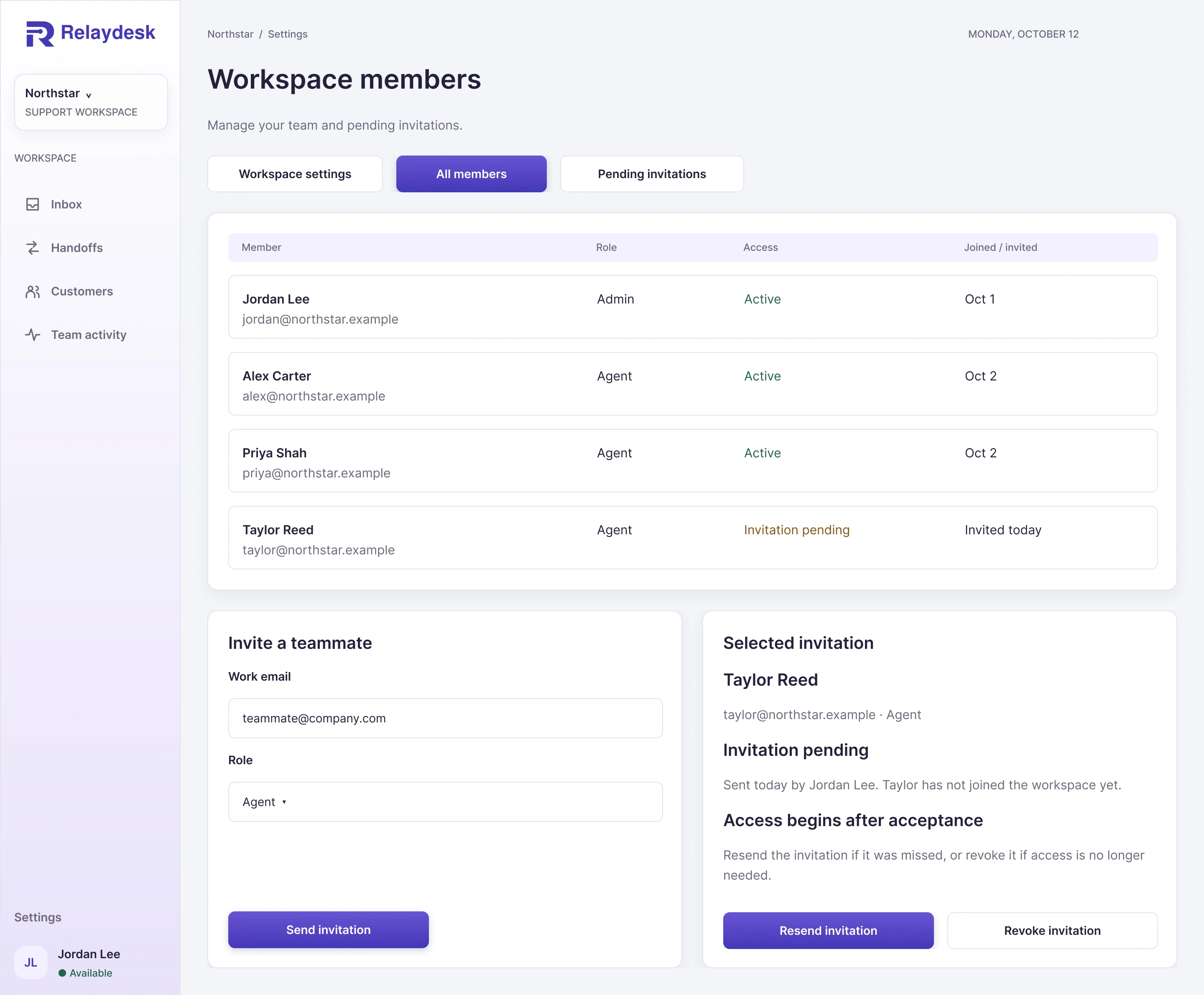
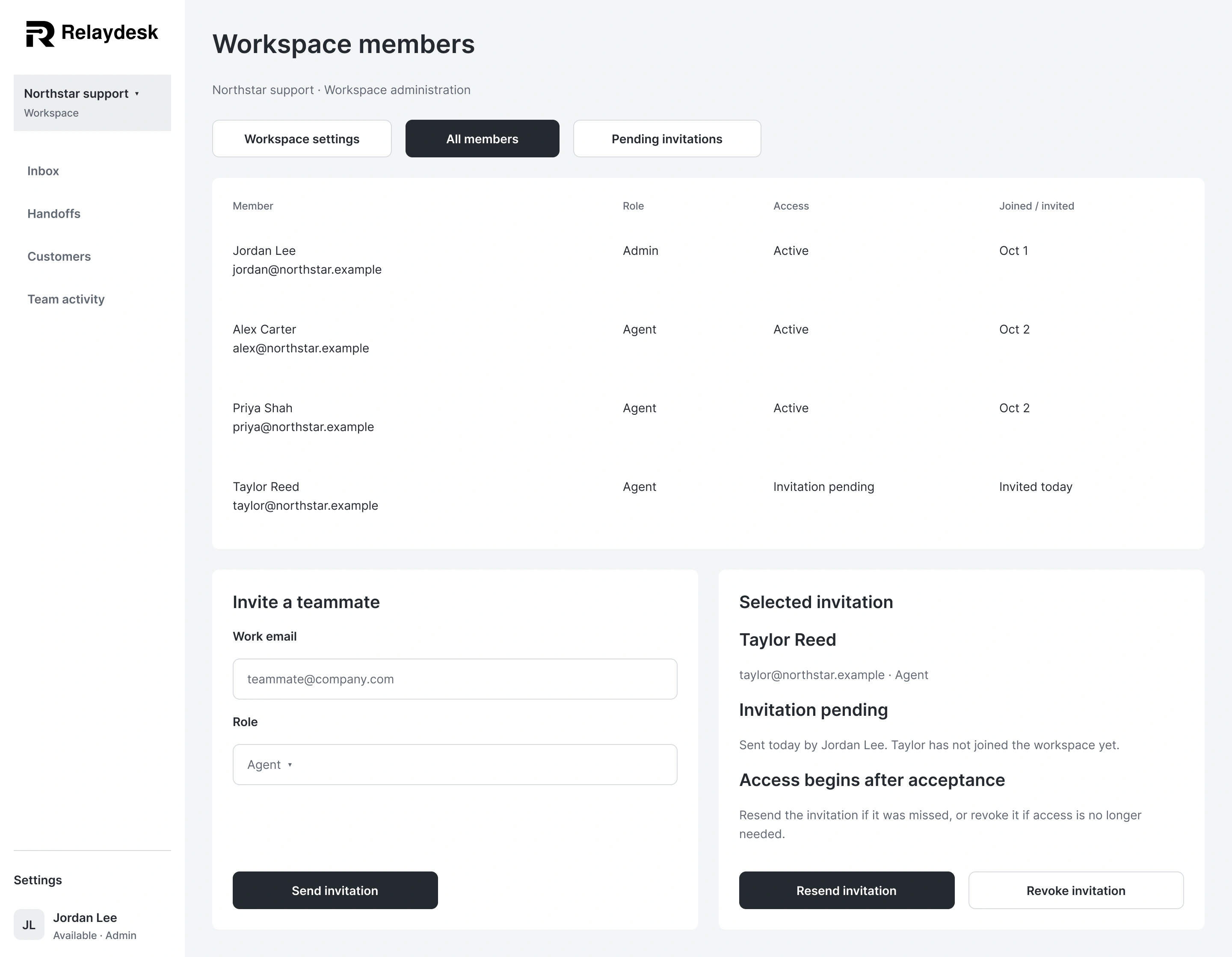
Scroll each preview for the full design, or expand for a closer look.
05 · Team and settings
Team views bring activity, availability, invitations, and workspace settings into complete desktop workspaces.
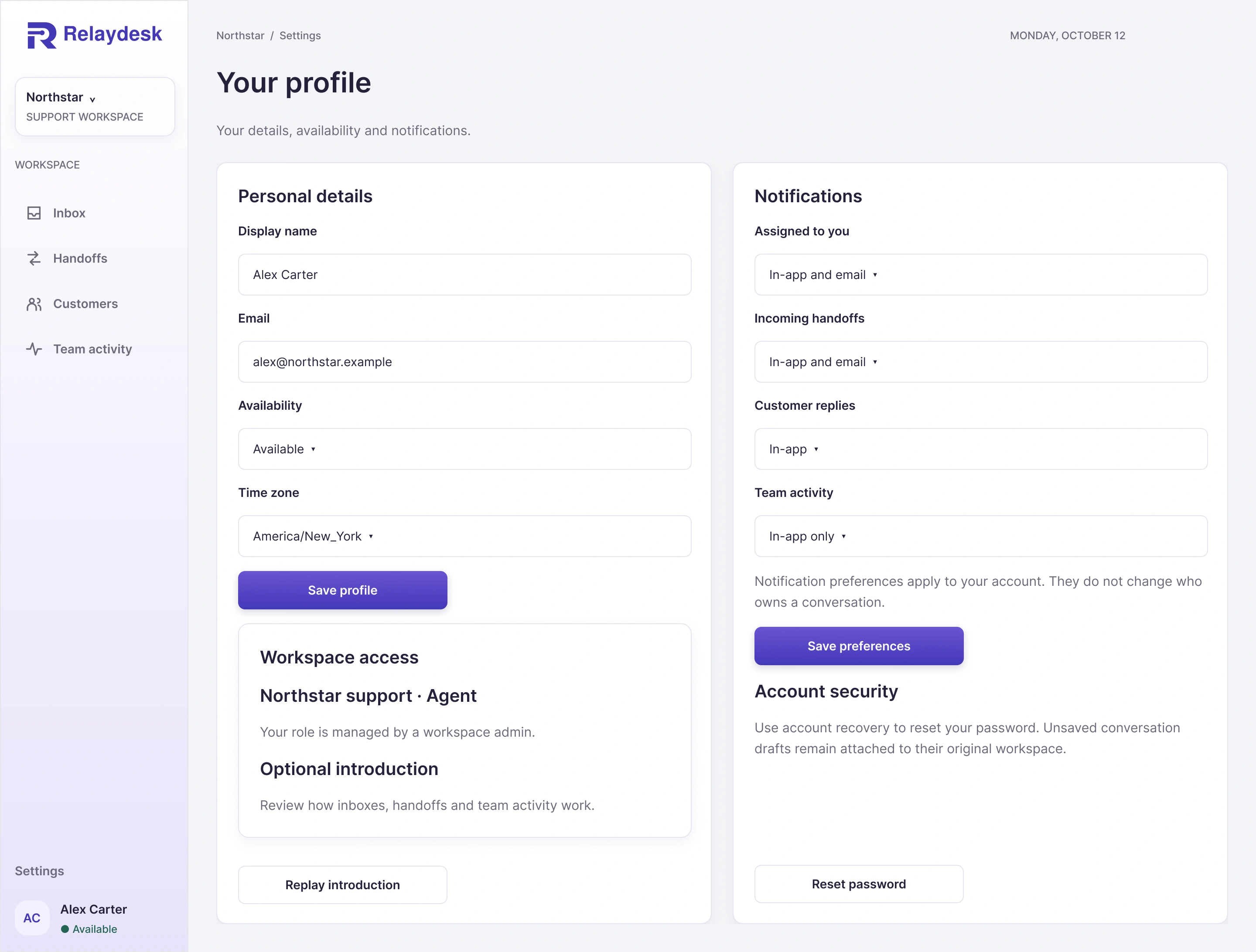
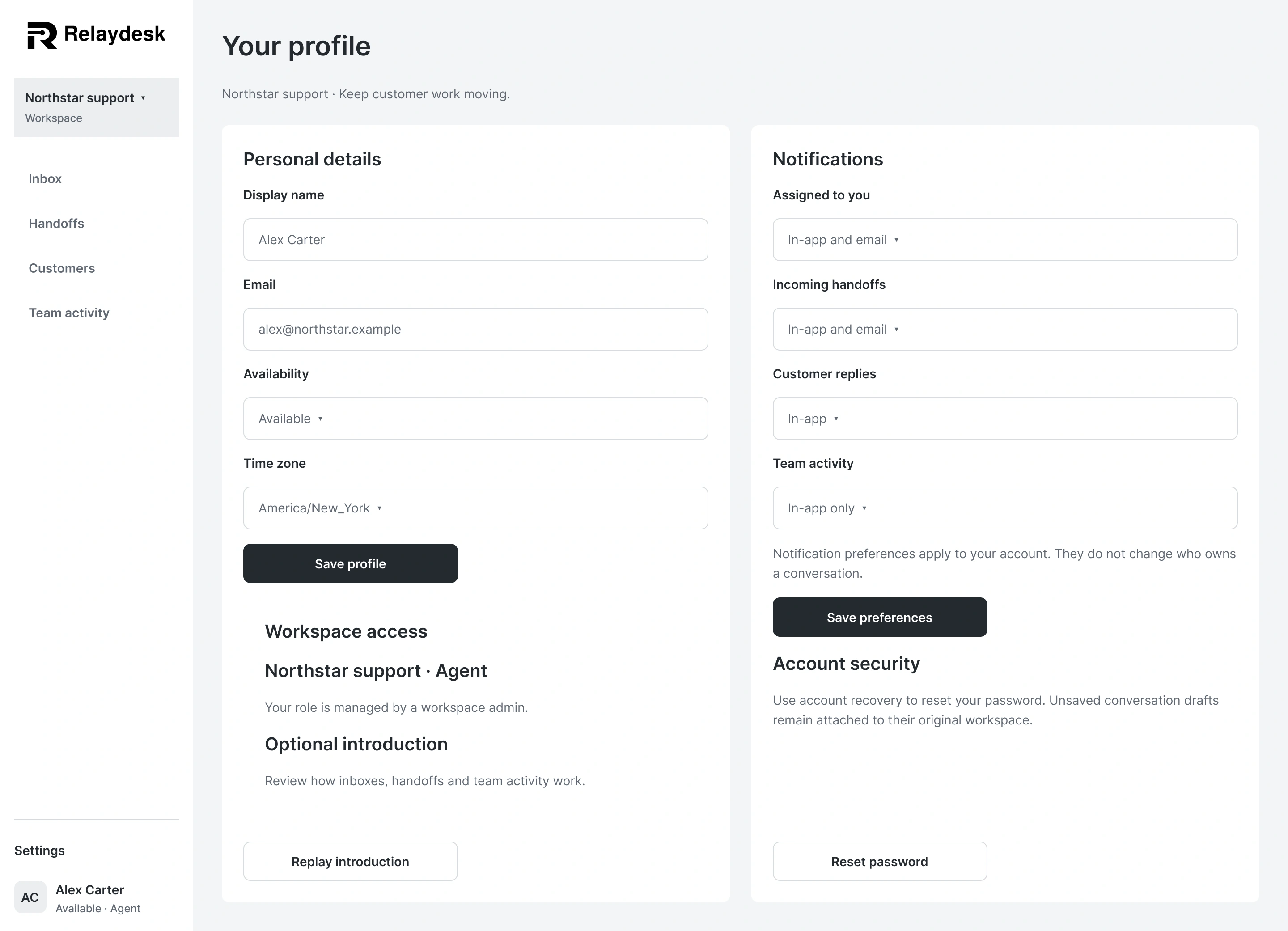
Scroll each preview for the full design, or expand for a closer look.
05 · Team and settings
Team views bring activity, availability, invitations, and workspace settings into complete desktop workspaces.
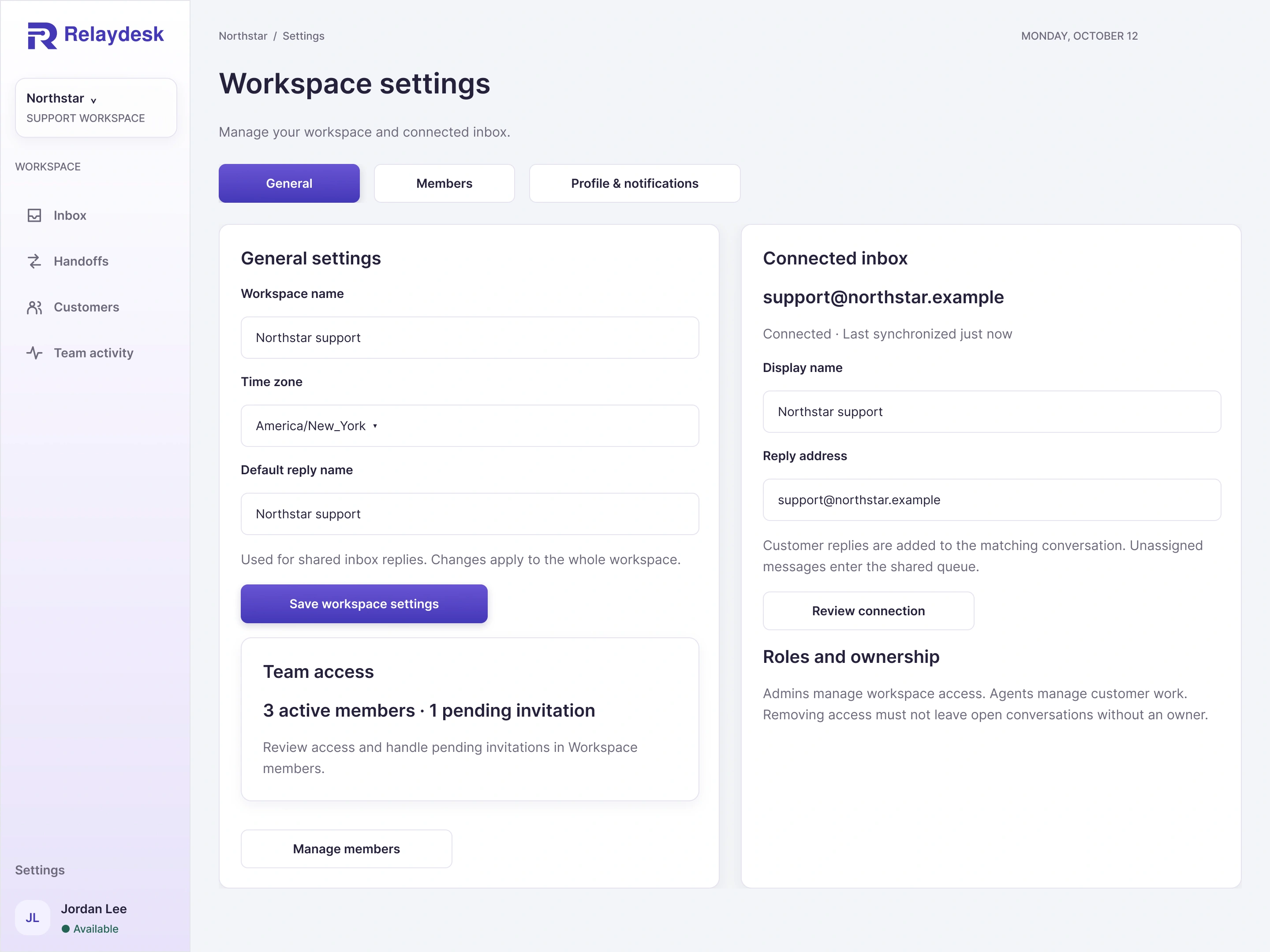
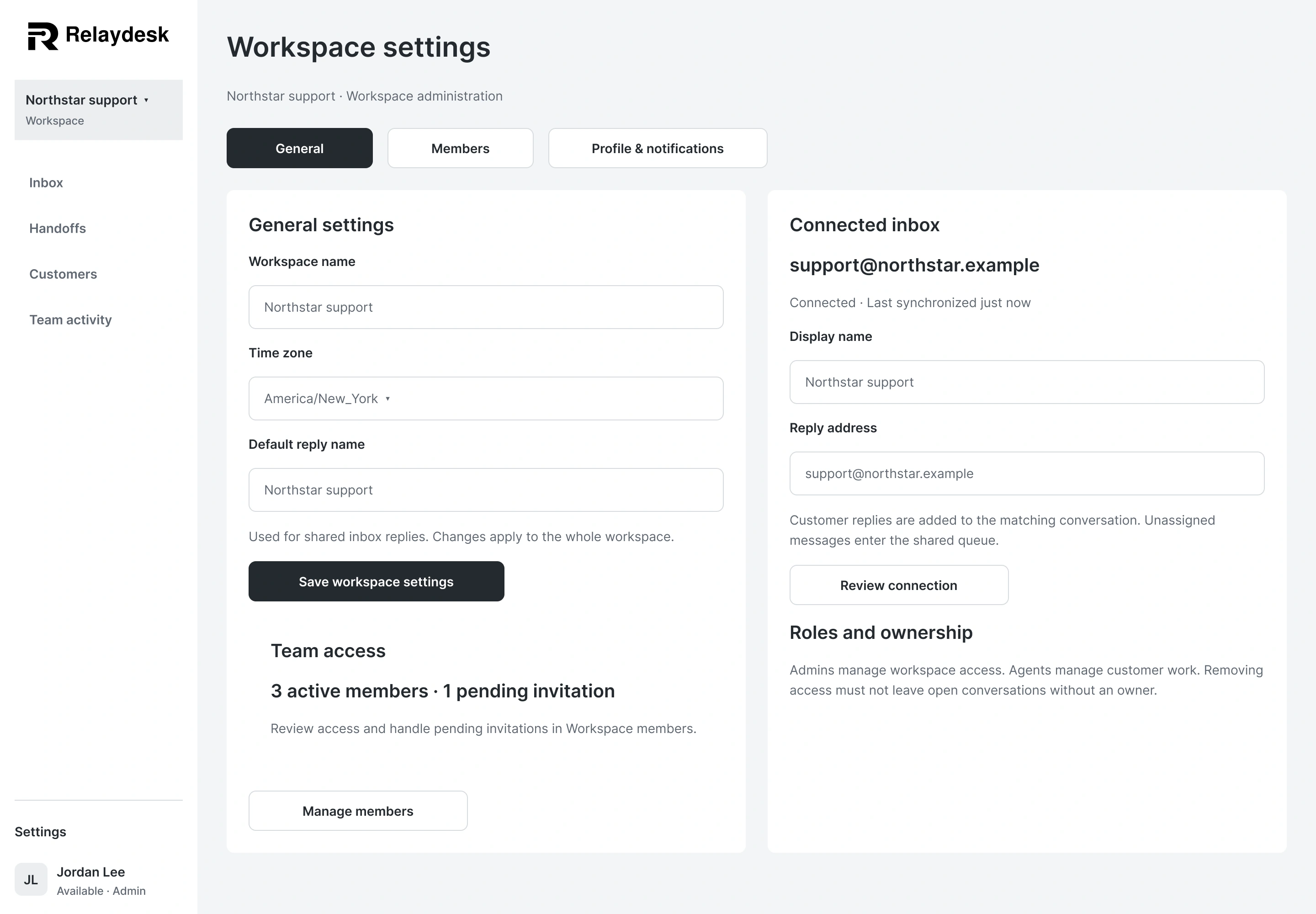
Scroll each preview for the full design, or expand for a closer look.
The design decisions
Customer work can lose context when it changes hands. I kept the owner, completed work, and next action visible throughout the workspace.
A handoff shows who owns the work now and who is being asked to take over. Responsibility changes only after acceptance.
Customer history, attachments, internal notes, and the reply composer share one workspace. Teammates can act without reconstructing the story.
The actual Relaydesk identity carries into purple actions and a subtle sidebar gradient. Neutral work surfaces, solid information panels, and restrained shadows keep dense content readable.
The active set contains 18 full desktop screens with matching wireframes. Supporting states and future expansion are documented separately. This is a personal design concept, not a released or user-tested product. Northstar and the customer records are fictional sample data; the damage attachment was generated for the concept.
Explore in Figma
The screen structure and connected journeys, organized in sequence. The preview is open to view.
Explore in Figma
All 18 active full desktop screens in the approved Relaydesk direction. The preview is open to view.
Project files
Access the editable Figma file or download all 18 finished screens and their matching wireframes at 2× resolution (2880 pixels wide). Enter the shared access code to access these files.