01 · Main tabs
Today
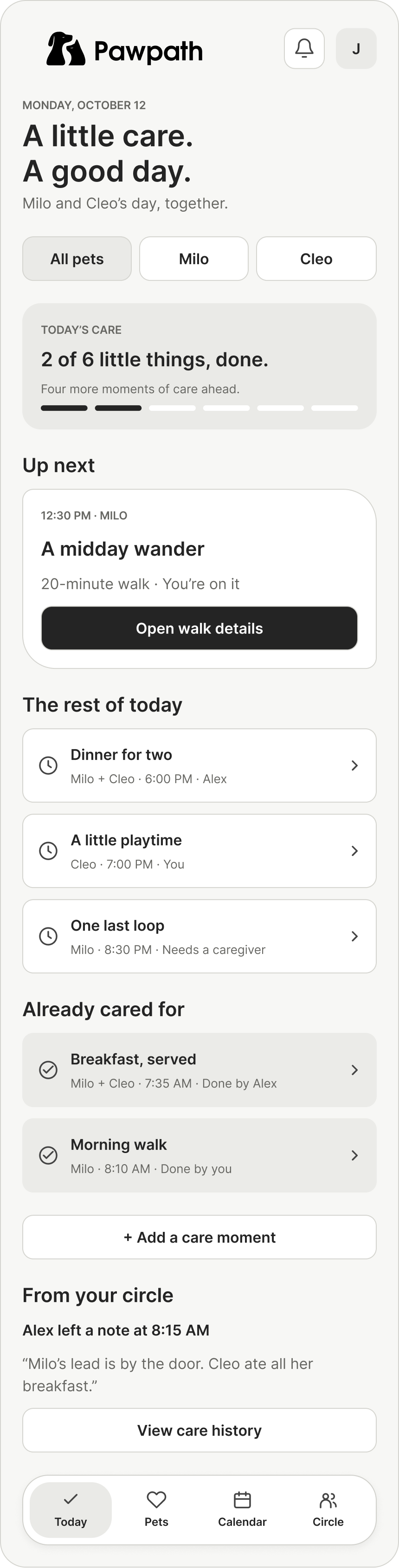
I built the app around four places: the day ahead, each pet’s needs, the household calendar, and the people sharing care.
Finished
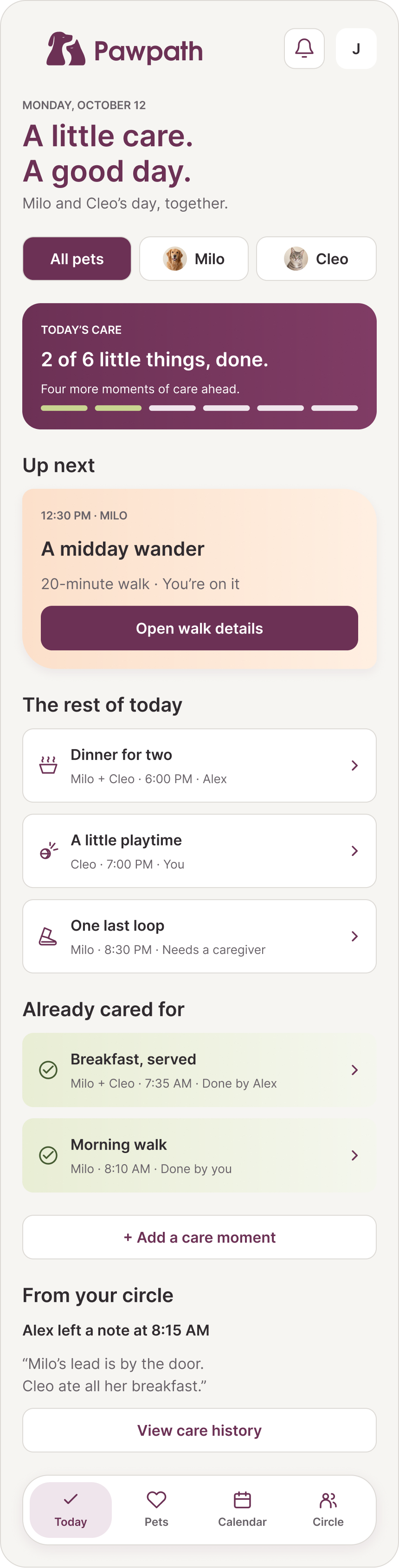
Wireframe
Scroll each preview to see the full design, or expand for a closer look.
UI & UX / Mobile app concept
I designed Pawpath to help a household share the everyday care of their pets, without losing track of who did what.
My work UI design · Wireframes · Visual design
Figma 48 views · Personal concept
From structure to finished design
Browse the 12 flows, compare the wireframe and finished design, or expand a screen to explore its full length.
01 · Main tabs
I built the app around four places: the day ahead, each pet’s needs, the household calendar, and the people sharing care.
Scroll each preview to see the full design, or expand for a closer look.
01 · Main tabs
I built the app around four places: the day ahead, each pet’s needs, the household calendar, and the people sharing care.


Scroll each preview to see the full design, or expand for a closer look.
01 · Main tabs
I built the app around four places: the day ahead, each pet’s needs, the household calendar, and the people sharing care.


Scroll each preview to see the full design, or expand for a closer look.
01 · Main tabs
I built the app around four places: the day ahead, each pet’s needs, the household calendar, and the people sharing care.


Scroll each preview to see the full design, or expand for a closer look.
02 · A daily care moment
A task keeps its pet, timing, and caregiver together. Completing, moving, or handing it over stays close to that context.


Scroll each preview to see the full design, or expand for a closer look.
02 · A daily care moment
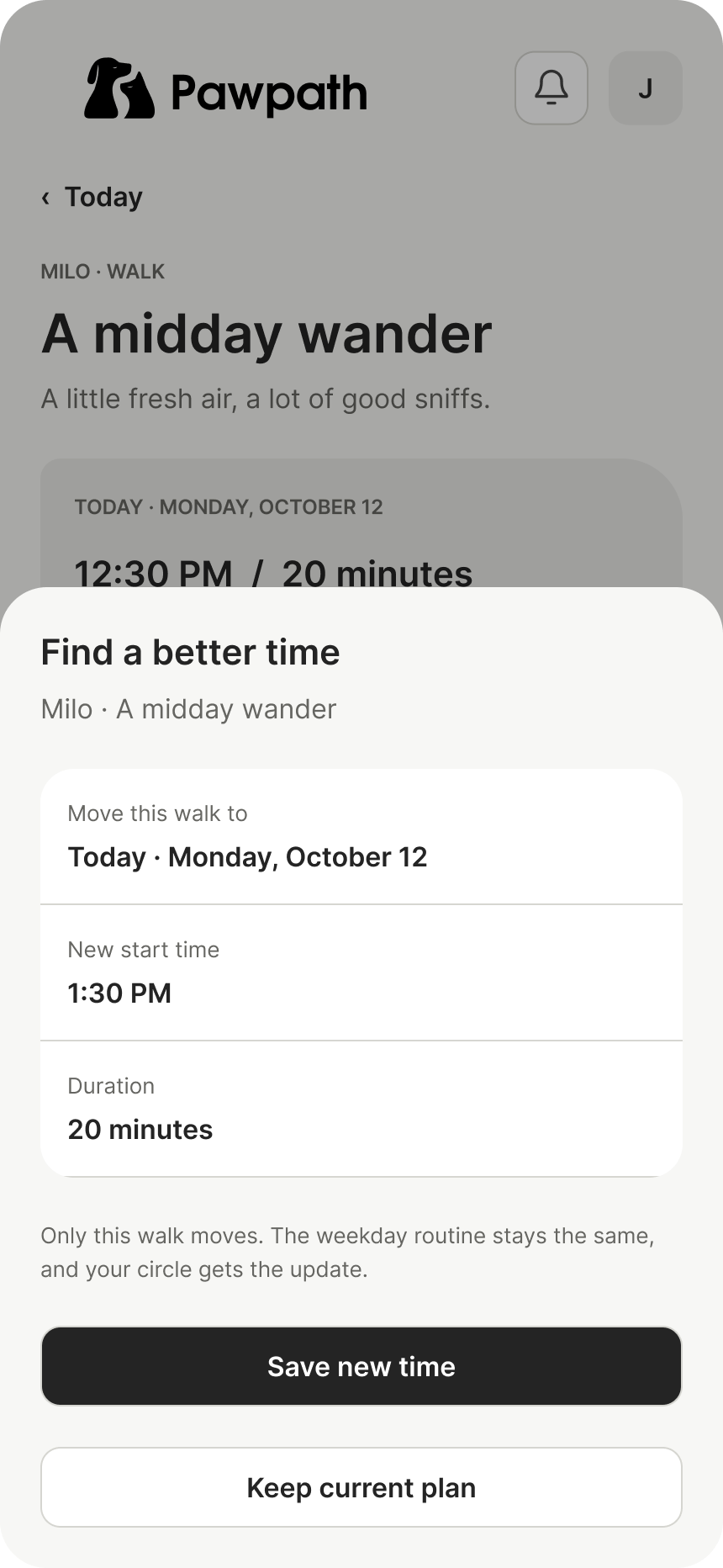
A task keeps its pet, timing, and caregiver together. Completing, moving, or handing it over stays close to that context.


Scroll each preview to see the full design, or expand for a closer look.
02 · A daily care moment
A task keeps its pet, timing, and caregiver together. Completing, moving, or handing it over stays close to that context.

Scroll each preview to see the full design, or expand for a closer look.
02 · A daily care moment
A task keeps its pet, timing, and caregiver together. Completing, moving, or handing it over stays close to that context.


Scroll each preview to see the full design, or expand for a closer look.
02 · A daily care moment
A task keeps its pet, timing, and caregiver together. Completing, moving, or handing it over stays close to that context.


Scroll each preview to see the full design, or expand for a closer look.
03 · Plans & routines
One-off tasks, recurring care, and appointments share familiar controls, with room for the details each needs.


Scroll each preview to see the full design, or expand for a closer look.
03 · Plans & routines
One-off tasks, recurring care, and appointments share familiar controls, with room for the details each needs.


Scroll each preview to see the full design, or expand for a closer look.
03 · Plans & routines
One-off tasks, recurring care, and appointments share familiar controls, with room for the details each needs.


Scroll each preview to see the full design, or expand for a closer look.
03 · Plans & routines
One-off tasks, recurring care, and appointments share familiar controls, with room for the details each needs.


Scroll each preview to see the full design, or expand for a closer look.
03 · Plans & routines
One-off tasks, recurring care, and appointments share familiar controls, with room for the details each needs.


Scroll each preview to see the full design, or expand for a closer look.
04 · Daily care states
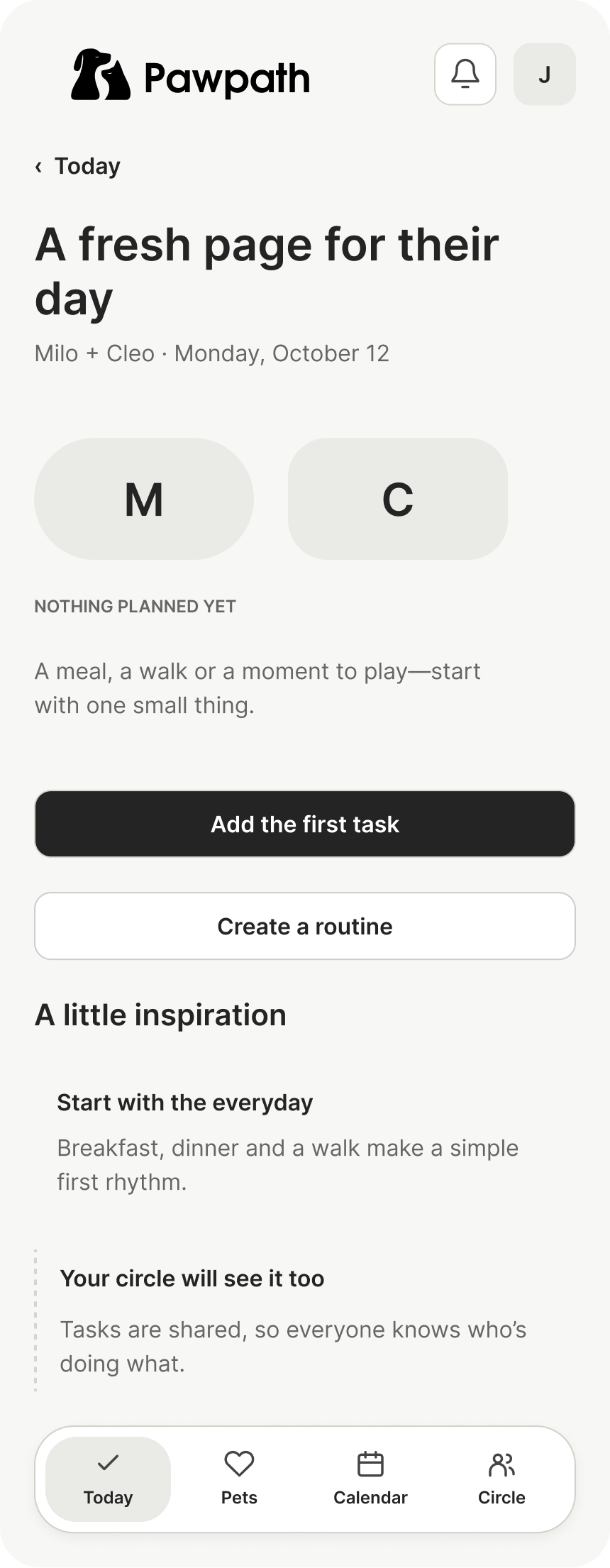
I included quiet days, a finished day, overlapping updates, and offline care so the design goes beyond its ideal state.

Scroll each preview to see the full design, or expand for a closer look.
04 · Daily care states
I included quiet days, a finished day, overlapping updates, and offline care so the design goes beyond its ideal state.


Scroll each preview to see the full design, or expand for a closer look.
04 · Daily care states
I included quiet days, a finished day, overlapping updates, and offline care so the design goes beyond its ideal state.


Scroll each preview to see the full design, or expand for a closer look.
04 · Daily care states
I included quiet days, a finished day, overlapping updates, and offline care so the design goes beyond its ideal state.


Scroll each preview to see the full design, or expand for a closer look.
05 · Pet profiles & identity
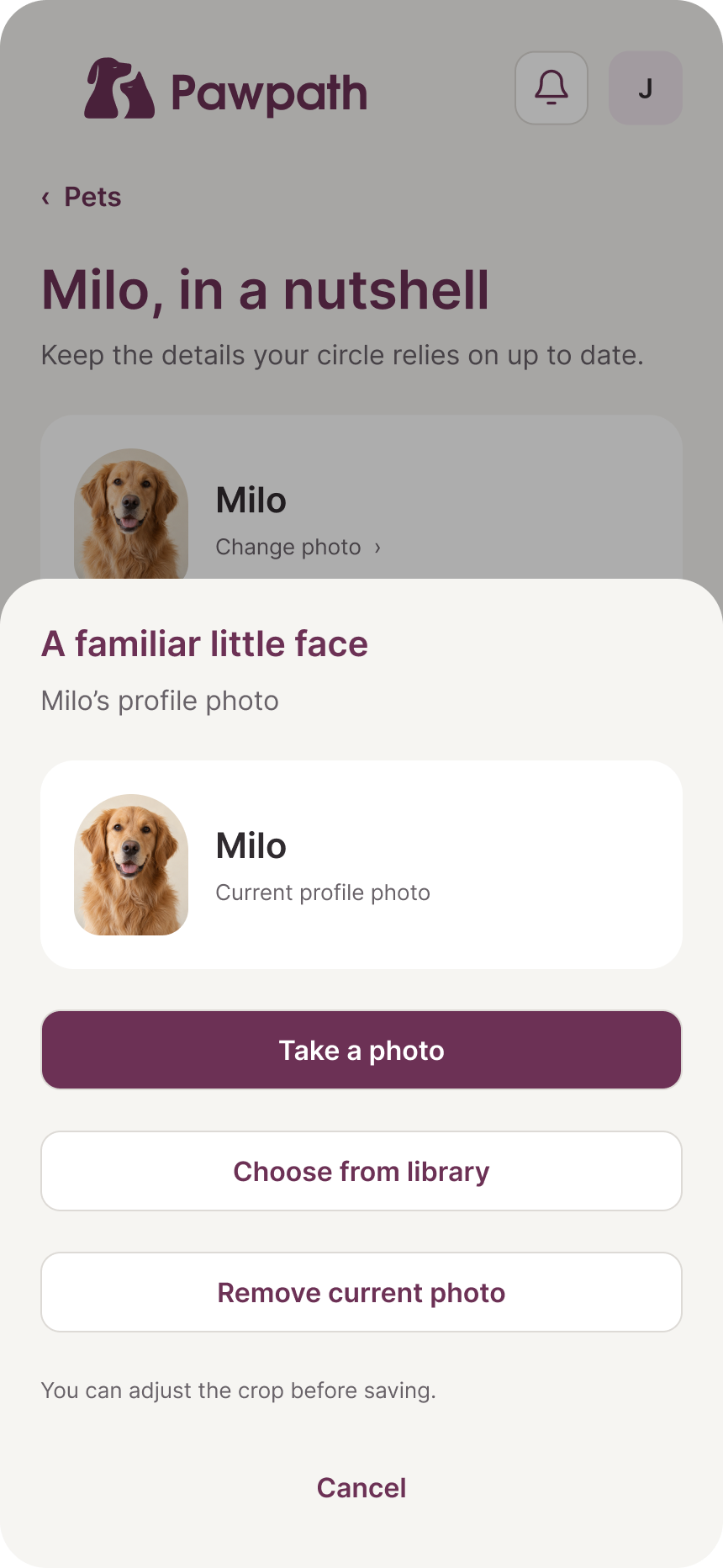
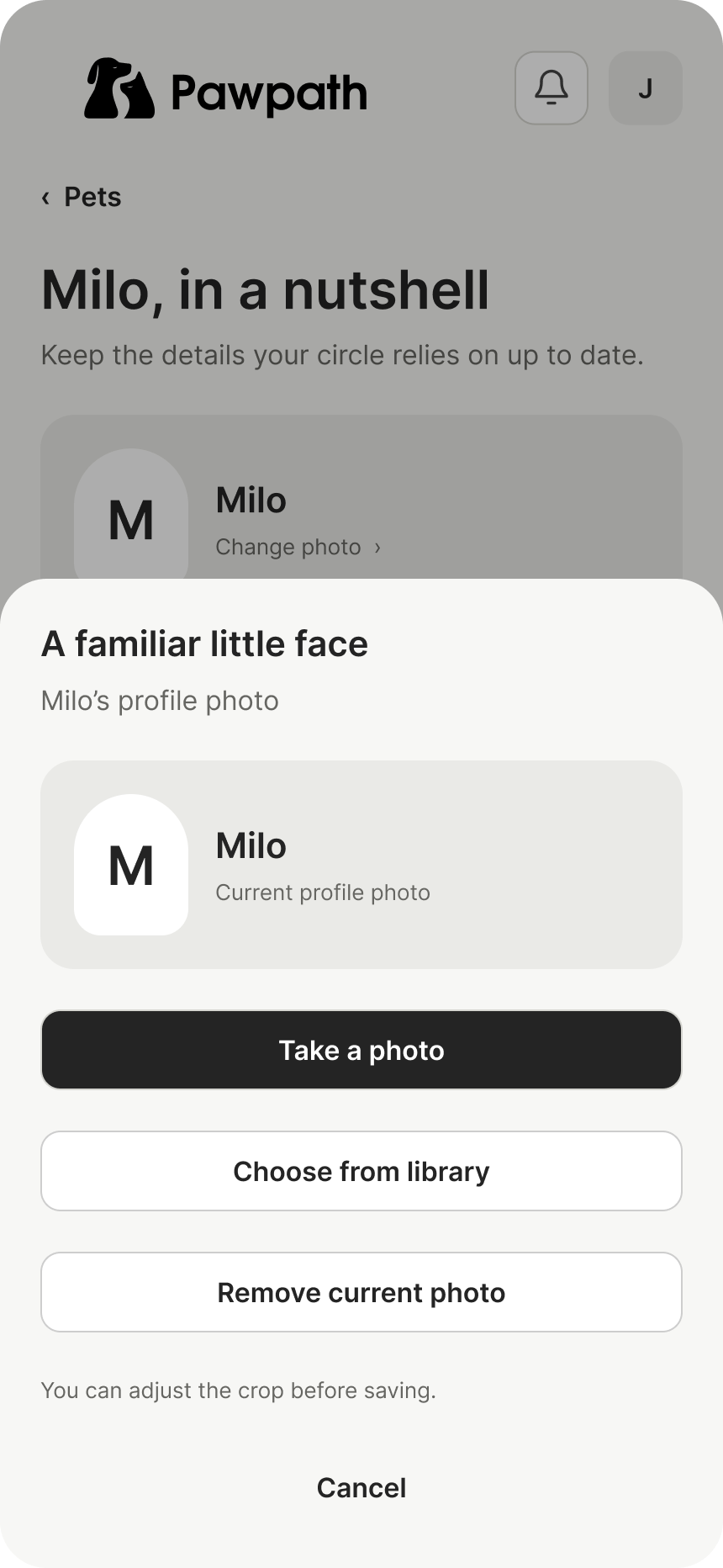
Pet portraits give the profiles warmth. Their identity, care details, and photo controls stay practical and easy to find.


Scroll each preview to see the full design, or expand for a closer look.
05 · Pet profiles & identity
Pet portraits give the profiles warmth. Their identity, care details, and photo controls stay practical and easy to find.


Scroll each preview to see the full design, or expand for a closer look.
05 · Pet profiles & identity
Pet portraits give the profiles warmth. Their identity, care details, and photo controls stay practical and easy to find.


Scroll each preview to see the full design, or expand for a closer look.
05 · Pet profiles & identity
Pet portraits give the profiles warmth. Their identity, care details, and photo controls stay practical and easy to find.
Scroll each preview to see the full design, or expand for a closer look.
06 · The care guide
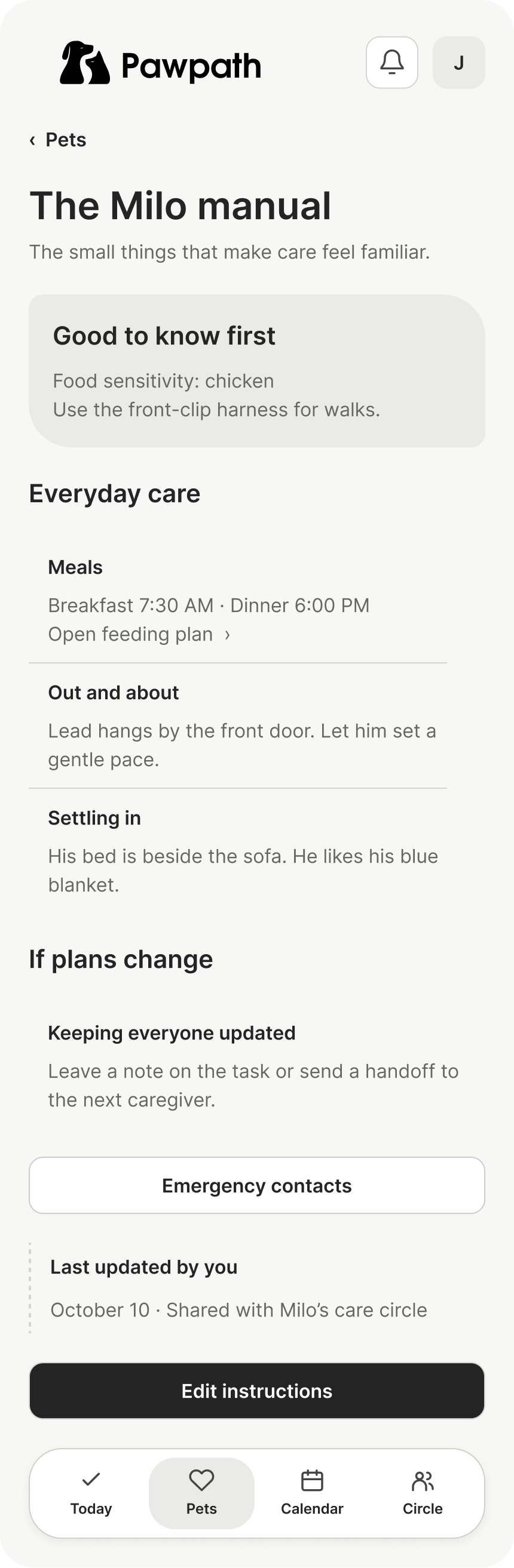
Feeding instructions, sensitivities, and emergency contacts belong close to each pet. I used peach to draw attention to care needs.

Scroll each preview to see the full design, or expand for a closer look.
06 · The care guide
Feeding instructions, sensitivities, and emergency contacts belong close to each pet. I used peach to draw attention to care needs.


Scroll each preview to see the full design, or expand for a closer look.
06 · The care guide
Feeding instructions, sensitivities, and emergency contacts belong close to each pet. I used peach to draw attention to care needs.


Scroll each preview to see the full design, or expand for a closer look.
07 · People & permissions
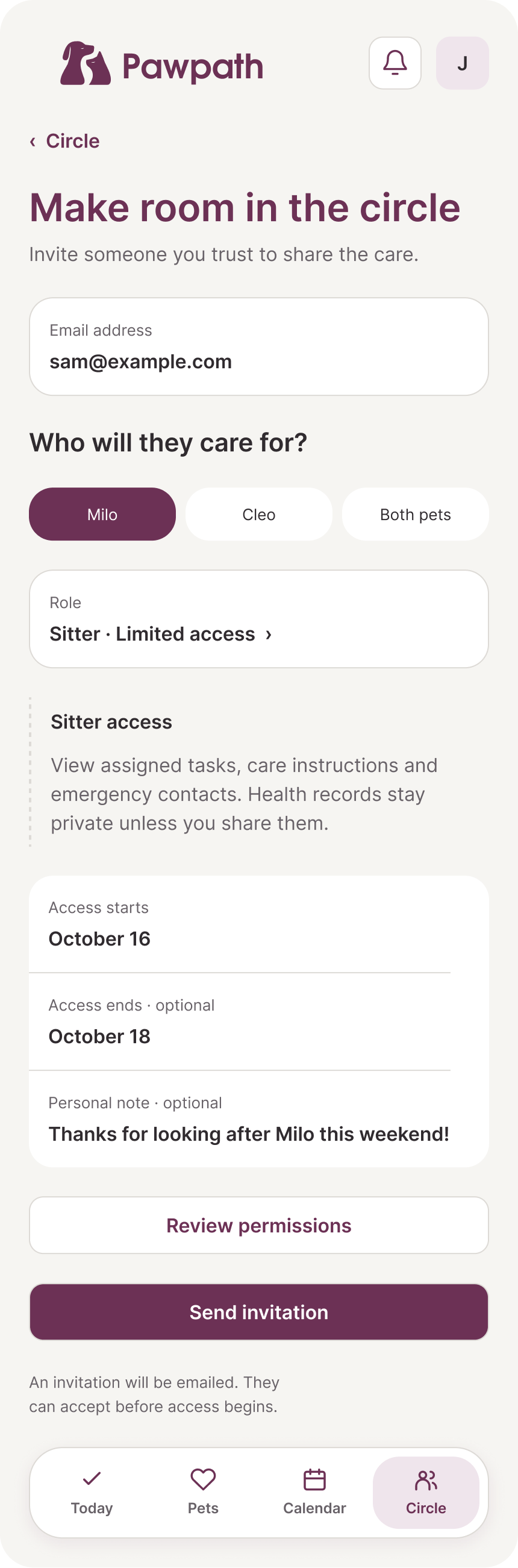
Invitations and permissions make shared care more deliberate. The interface explains what each person can see or change.


Scroll each preview to see the full design, or expand for a closer look.
07 · People & permissions
Invitations and permissions make shared care more deliberate. The interface explains what each person can see or change.

Scroll each preview to see the full design, or expand for a closer look.
07 · People & permissions
Invitations and permissions make shared care more deliberate. The interface explains what each person can see or change.


Scroll each preview to see the full design, or expand for a closer look.
07 · People & permissions
Invitations and permissions make shared care more deliberate. The interface explains what each person can see or change.


Scroll each preview to see the full design, or expand for a closer look.
07 · People & permissions
Invitations and permissions make shared care more deliberate. The interface explains what each person can see or change.


Scroll each preview to see the full design, or expand for a closer look.
08 · Passing the care along
A handoff connects the people involved with what happened and what comes next, rather than treating it as another task card.


Scroll each preview to see the full design, or expand for a closer look.
08 · Passing the care along
A handoff connects the people involved with what happened and what comes next, rather than treating it as another task card.


Scroll each preview to see the full design, or expand for a closer look.
09 · Health & records
Health notes and records use a quieter catalog layout. Scheduled care and recorded completion remain visually distinct.


Scroll each preview to see the full design, or expand for a closer look.
09 · Health & records
Health notes and records use a quieter catalog layout. Scheduled care and recorded completion remain visually distinct.


Scroll each preview to see the full design, or expand for a closer look.
09 · Health & records
Health notes and records use a quieter catalog layout. Scheduled care and recorded completion remain visually distinct.


Scroll each preview to see the full design, or expand for a closer look.
09 · Health & records
Health notes and records use a quieter catalog layout. Scheduled care and recorded completion remain visually distinct.


Scroll each preview to see the full design, or expand for a closer look.
09 · Health & records
Health notes and records use a quieter catalog layout. Scheduled care and recorded completion remain visually distinct.


Scroll each preview to see the full design, or expand for a closer look.
10 · Record actions & recovery
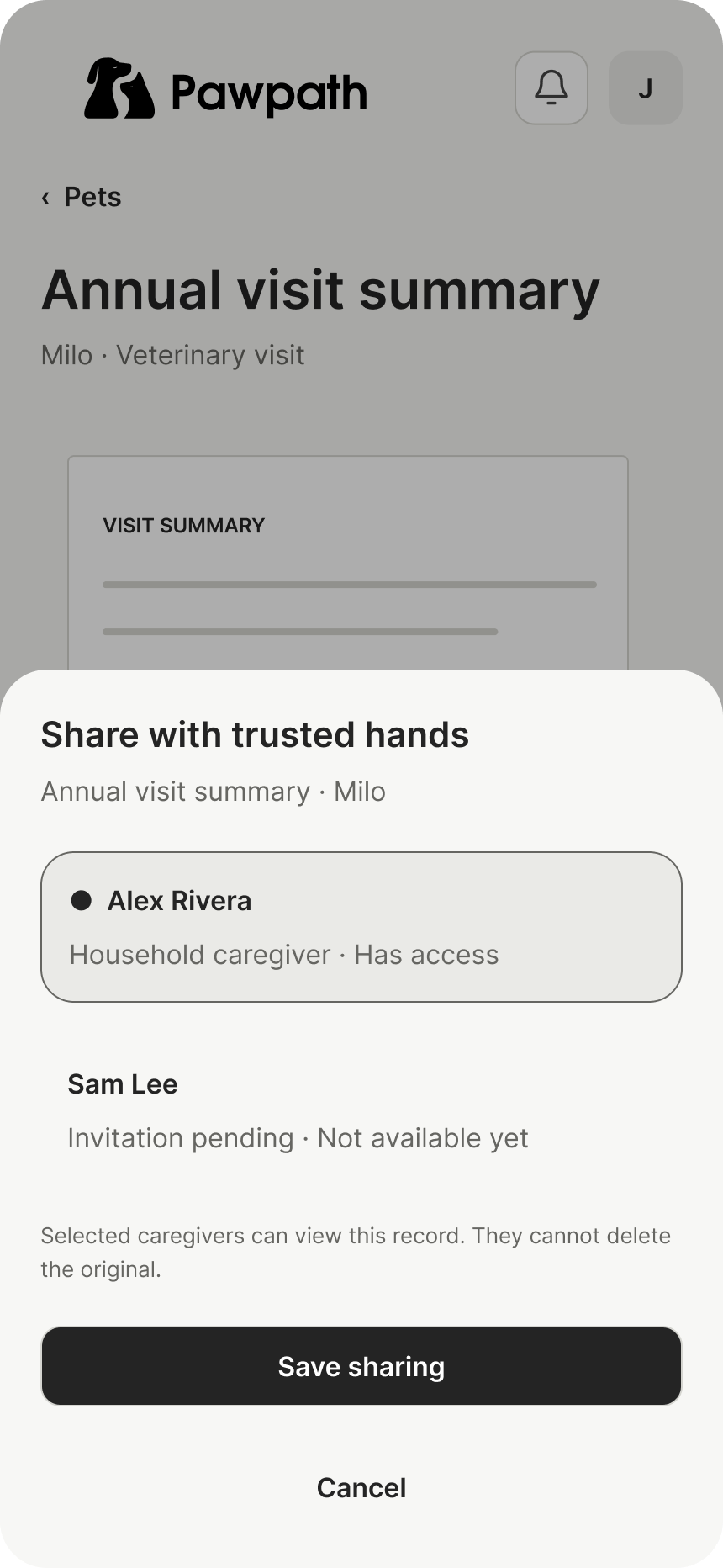
Uploading, sharing, deleting, and recovering from an interrupted upload each have their own clear next step.


Scroll each preview to see the full design, or expand for a closer look.
10 · Record actions & recovery
Uploading, sharing, deleting, and recovering from an interrupted upload each have their own clear next step.

Scroll each preview to see the full design, or expand for a closer look.
10 · Record actions & recovery
Uploading, sharing, deleting, and recovering from an interrupted upload each have their own clear next step.


Scroll each preview to see the full design, or expand for a closer look.
10 · Record actions & recovery
Uploading, sharing, deleting, and recovering from an interrupted upload each have their own clear next step.


Scroll each preview to see the full design, or expand for a closer look.
11 · Activity & reminders
The history separates completed care from handoff notes. Reminder settings let the household choose which updates matter.


Scroll each preview to see the full design, or expand for a closer look.
11 · Activity & reminders
The history separates completed care from handoff notes. Reminder settings let the household choose which updates matter.


Scroll each preview to see the full design, or expand for a closer look.
11 · Activity & reminders
The history separates completed care from handoff notes. Reminder settings let the household choose which updates matter.


Scroll each preview to see the full design, or expand for a closer look.
12 · Joining & managing a household
Joining introduces the pets and shared-care idea, then moves into account and household setup. Settings stay separate from daily care.


Scroll each preview to see the full design, or expand for a closer look.
12 · Joining & managing a household
Joining introduces the pets and shared-care idea, then moves into account and household setup. Settings stay separate from daily care.


Scroll each preview to see the full design, or expand for a closer look.
12 · Joining & managing a household
Joining introduces the pets and shared-care idea, then moves into account and household setup. Settings stay separate from daily care.


Scroll each preview to see the full design, or expand for a closer look.
12 · Joining & managing a household
Joining introduces the pets and shared-care idea, then moves into account and household setup. Settings stay separate from daily care.


Scroll each preview to see the full design, or expand for a closer look.
The visual language
I carried the Pawpath identity into the interface, using color to explain the state of care and giving different tasks their own composition.
Plum anchors the titles, primary actions, and selected controls.
Soft peach brings attention to upcoming care and details worth knowing.
Green marks completed care. General information and updated notes stay neutral.
I used connected timelines, pet portraits, handoffs, and document lists where they fit the task. The shared spacing and controls hold those different layouts together.
Explore the file
The structure, screen relationships, and full scrolling layouts. No access code is needed to view this embed.
Explore the file
The complete visual direction, arranged in the same 12 flows. No access code is needed to view this embed.
Project files
Open the source file in Figma or download the 48 finished views and matching wireframes. An access code is required for these files.
Personal app concept. Designed screens, not a released product.